31
3-4. Printing waveforms and data
3-4-1. The mode settings influencing printed chart
The following mode settings influence the printed waveform and data. Smartdop prints
depending on the present mode settings. Change modes before printing if desired.
Note: Refer to the description of each mode in “ 3-2-3. Mode Setting Details”.
Mode Abbrev. Selection
a. Baseline mode MODE Compound, Separate
b. Time scale TIME Normal, Slow
c. Flow direction DIR Forward, Reverse
d. Language LANGUAGE English, Deutsch, Italiano, Español,
Français
e. Unit UNIT cm/s, kHz
f. Filter FILTER 80Hz, 200Hz
g. Smoothing filter SMOOTH 5 Hz, 10 Hz
h. Waveform / Data DISP Wave, Data
i. Patient data print P.ID PRT ON, OFF
3-4-2. How to print
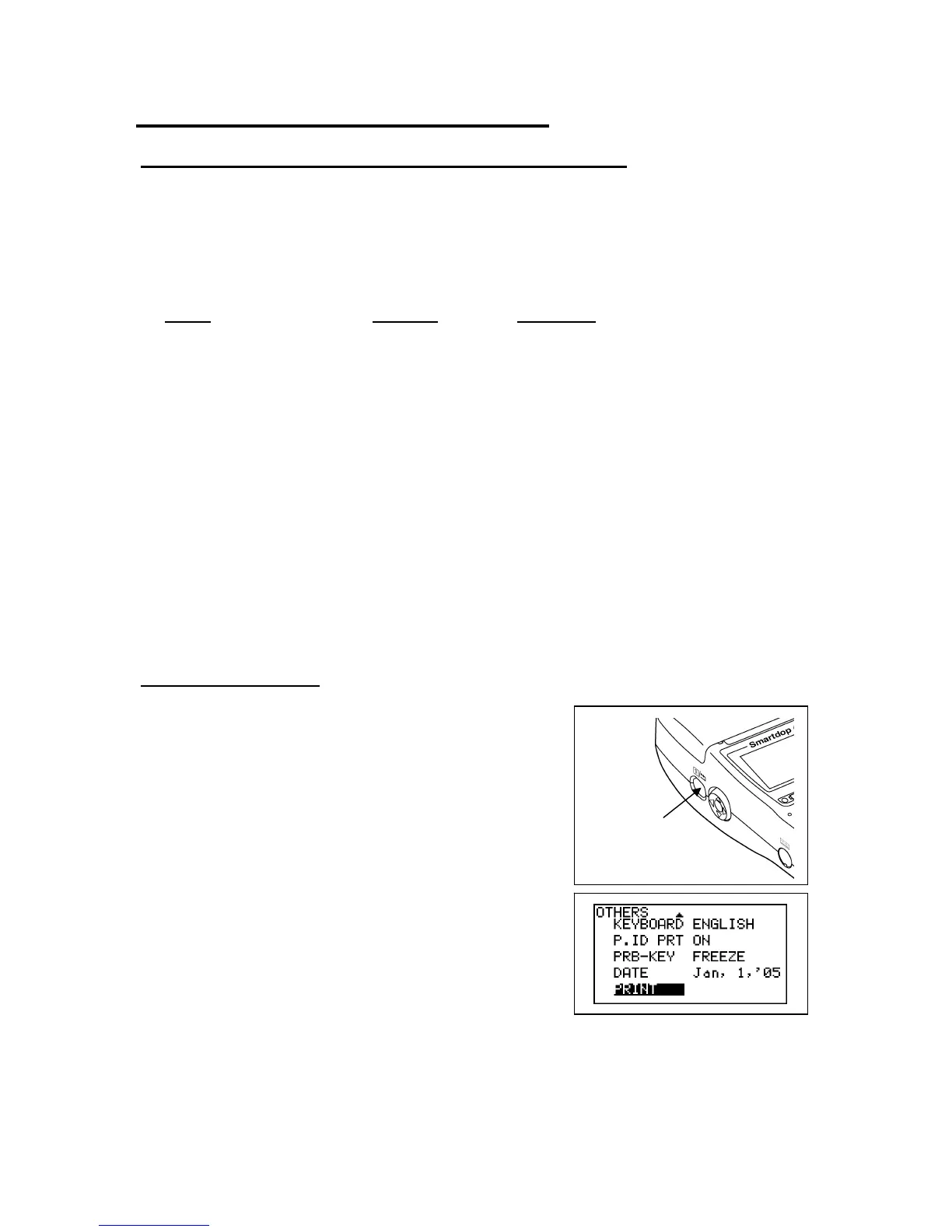
Printing waveform and data is available on Freeze
mode and Patient Data Input mode.
(1) Press Print button or execute PRINT command on
the menu mode to print waveforms. Also, pressing
probe button makes print when PRB-KEY is on
PRT&FRZ or PRINT mode.
(2) Smartdop prints following waveforms and then
stops printing automatically.
Blood Velocity mode
TIME is Normal: Waveform of the 5 sec before freezing
TIME is Slow: Waveform of the 25 sec before freezing
Print button



 To Next Page