16
3-2-2. Menu
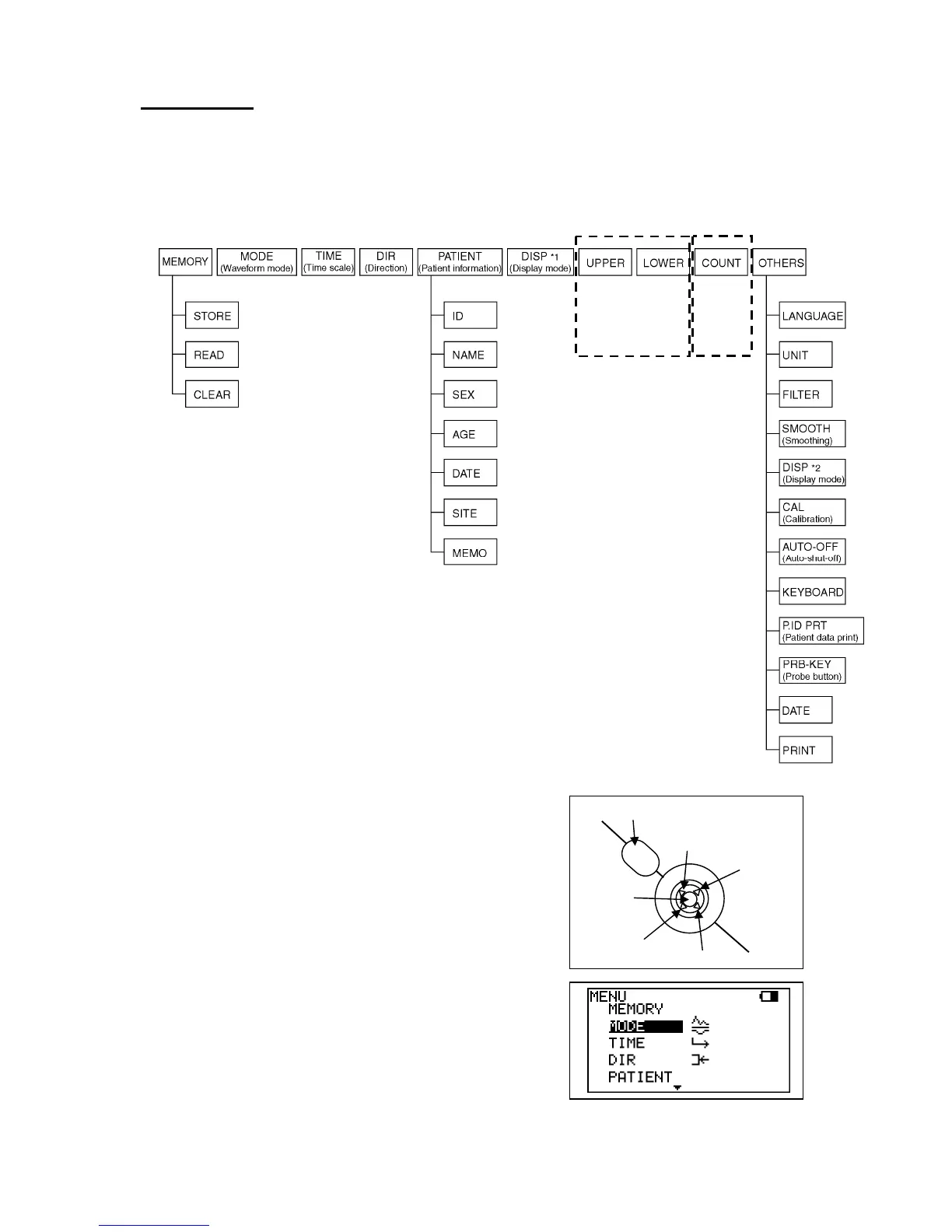
Using Scroll Button, various mode settings are changeable on Menu mode. Some menus
have sub menus. Refer to following Menu structure and Menu operation first.
a. Menu structure
b. Menu operation
(1) Press Enter to show MENU depending on Basic
Mode.
(2) Select the mode by pressing Up and Down
buttons and selected mode will be highlighted.
Press Enter once or twice to change the mode
setting.
2 MHz only
PPG
DC
only
<Scroll Button>
Back Button
Up
Right
Down
Left
Enter



 To Next Page