22
Note: Any frozen waveform is stored temporarily in
memory area of FREEZE separated from regular 30
memory. It can be re-shown by reading from memory
FREEZE and won't be erased until next waveform is
frozen or unit is turned off.
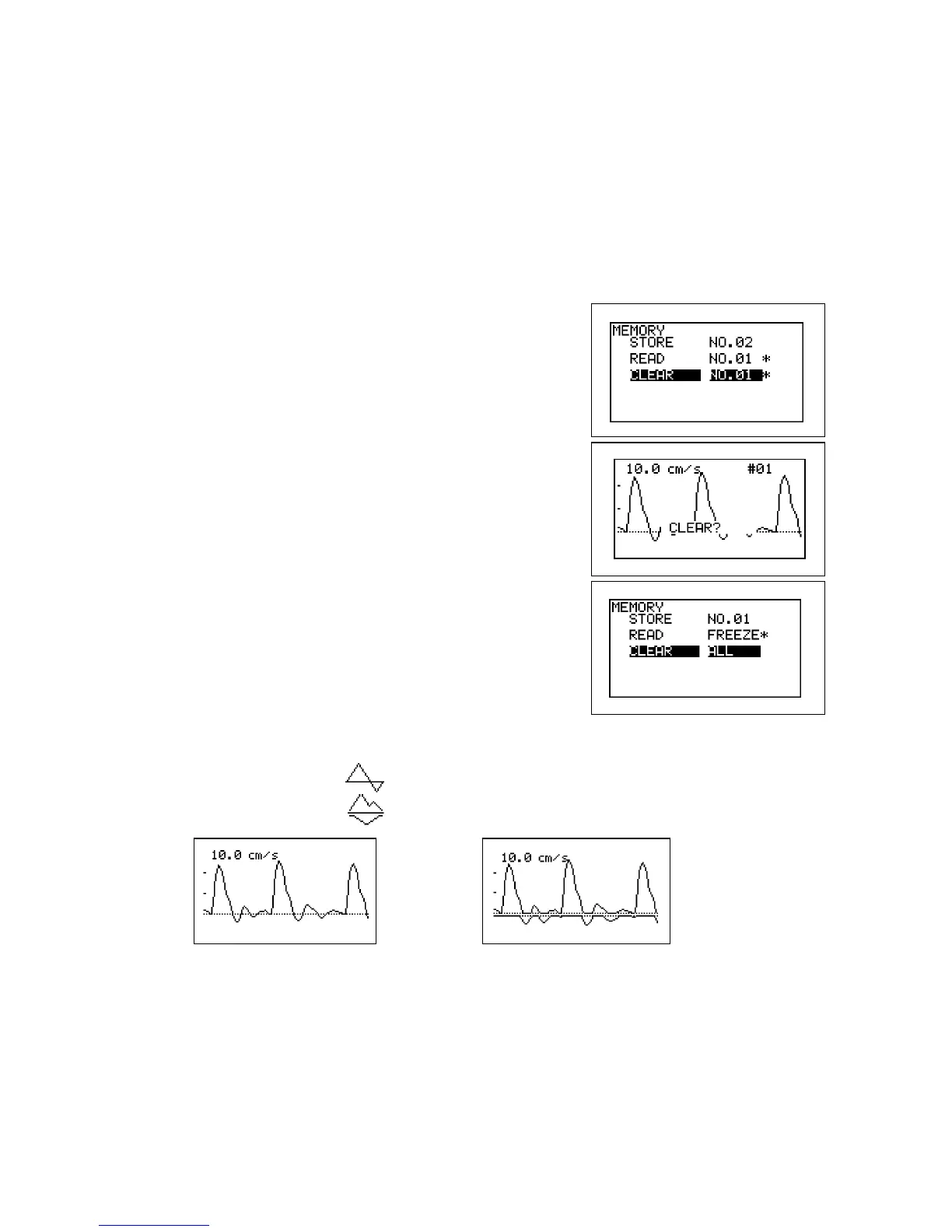
c. MEMORY - CLEAR
(1) Select the memory number you wish to clear
the data. The memory number with "*" indicates
memory area where data have been already
stored.
(2) Press Enter and then the confirmation screen
with waveform data will be displayed as shown
in the right. Press Enter to clear the memory, or
press Left to cancel.
(3) To clear all the data except FREEZE in the
memory at once, select and press on ALL and
follow the instruction.
d. MODE (Baseline mode)
(1) Press Enter to change the baseline mode as
follows:
Compound mode: Combined forward and reverse components
Separate mode: Separation of forward from reverse component
Compound mode Separate mode



 To Next Page