12
3. Appearance and mode settings
3-1. Operating controls
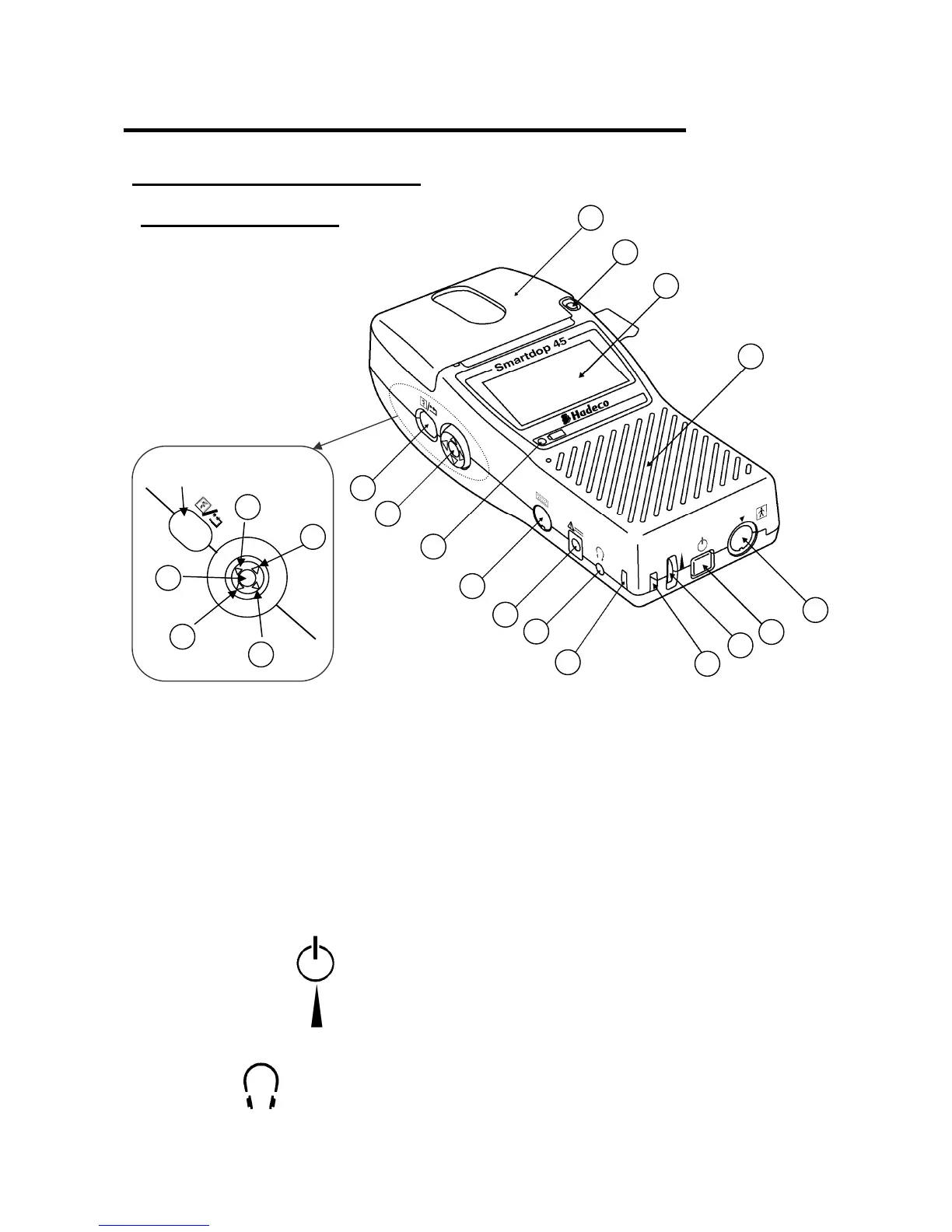
3-1-1. Front left view
1. Paper cover: For printer paper.
2. Cover Open Button To open the paper cover.
3. LCD display: Displays waveform, numerical data, heart rate and
menu for mode settings.
4. Speaker: Outputs Doppler sounds.
5. Probe connector: To connect probe
6. Power button: To turn the unit on / off.
7. Volume control: To adjust sound volume.
8. Strap hole: To attach hand strap.
9. Headset: To connect headset. It cuts off the speaker.
2
3
4
5
6
7
8
8
9
10
1
12
13
19
1
<Scroll Button>
14
15
16
17
18
Back Button



 To Next Page