| HD Ready LCDTV | User Manual |
p.14
OTHER CONNECTIONS
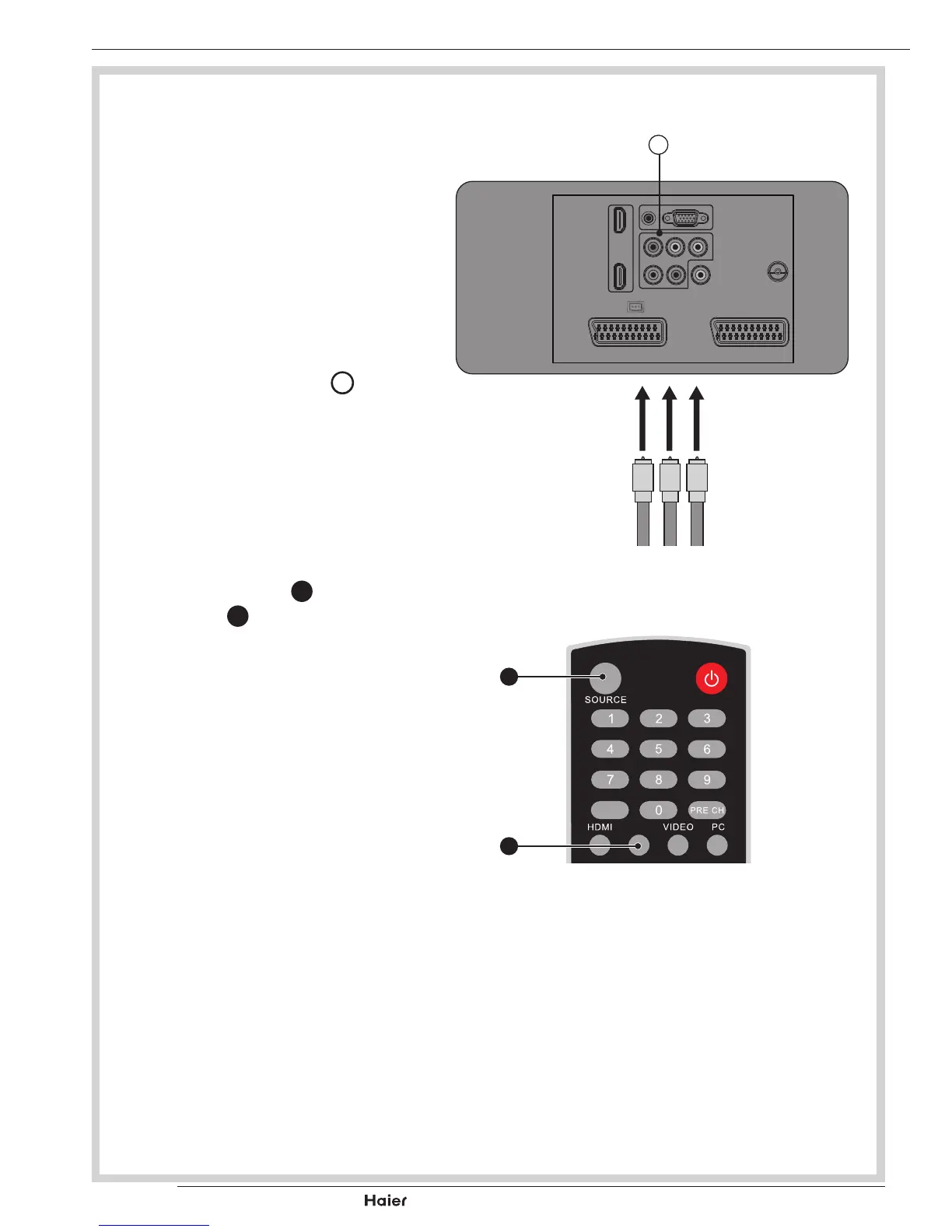
YPbPr INPUT
- For connecting devices such as
video cameras.
1. Makesurethatthepowerofthe
LCD-TV and the AV device are
off.
2. Connectthe(Y,Pb,Pr)cables
and audio cables to the Compo-
nent and Audio Input
R
on the
TV.
See g. 22.
3. Turnonthepowerofthe
LCDTVrstandthenturnon
thepoweroftheAVdevice.
4. Press the YPbPr
G
or
SOURCE
B
to select the
YPbPr input.
See g. 23.
fig. 22
Y Pr Pb
R
EPG
YPbPr
fig. 23
B
G



 To Next Page