39
16.5 Station search and favourites
16.5.1 Managing favourites
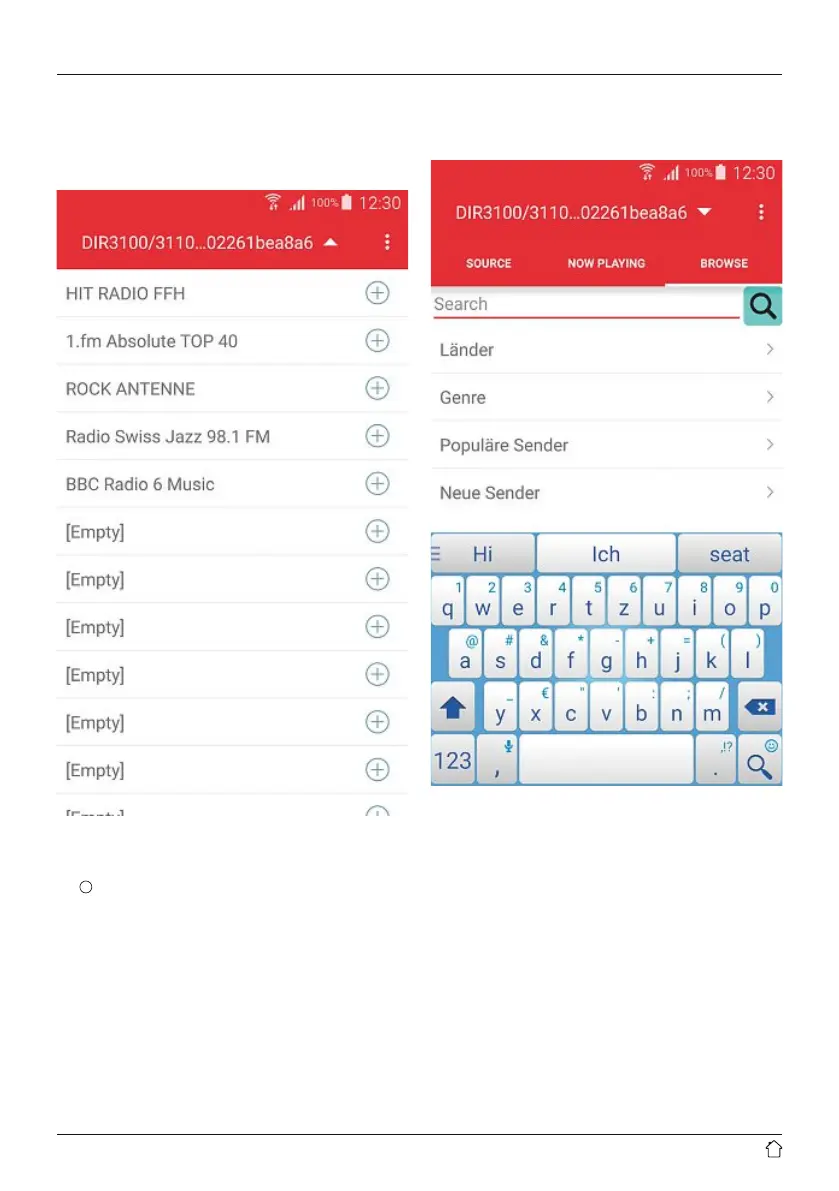
To access favourites management, tap this button in the
playback window (6).
The overview that opens shows any saved favourites, which
you can open by tapping on them. To add a station, tap
the
+
which can be found at the end of a line.
Lines marked [empty] can be freely assigned to a new
favourite. Occupied slots can be overwritten with new
favourites.
16.5.2 Searching for stations / station lists
You can also search for stations using the app. Tap any of
the search results to open it.
To search, rst tap the menu item “Browse” (3). Then you
can either choose from the sorted list, as in the regular
interface of the radio, or use the search eld. When you
tap the search eld, the on-screen keyboard opens. Enter
your search terms and conrm.
The app now searches the vTuner database for the search
terms and lists resulting matches.


 To Next Page