Microlab
®
STAR User Manual
610766/02 Page 149 of 225
Next, the file holding the absorbance information is opened. The file format is also defined
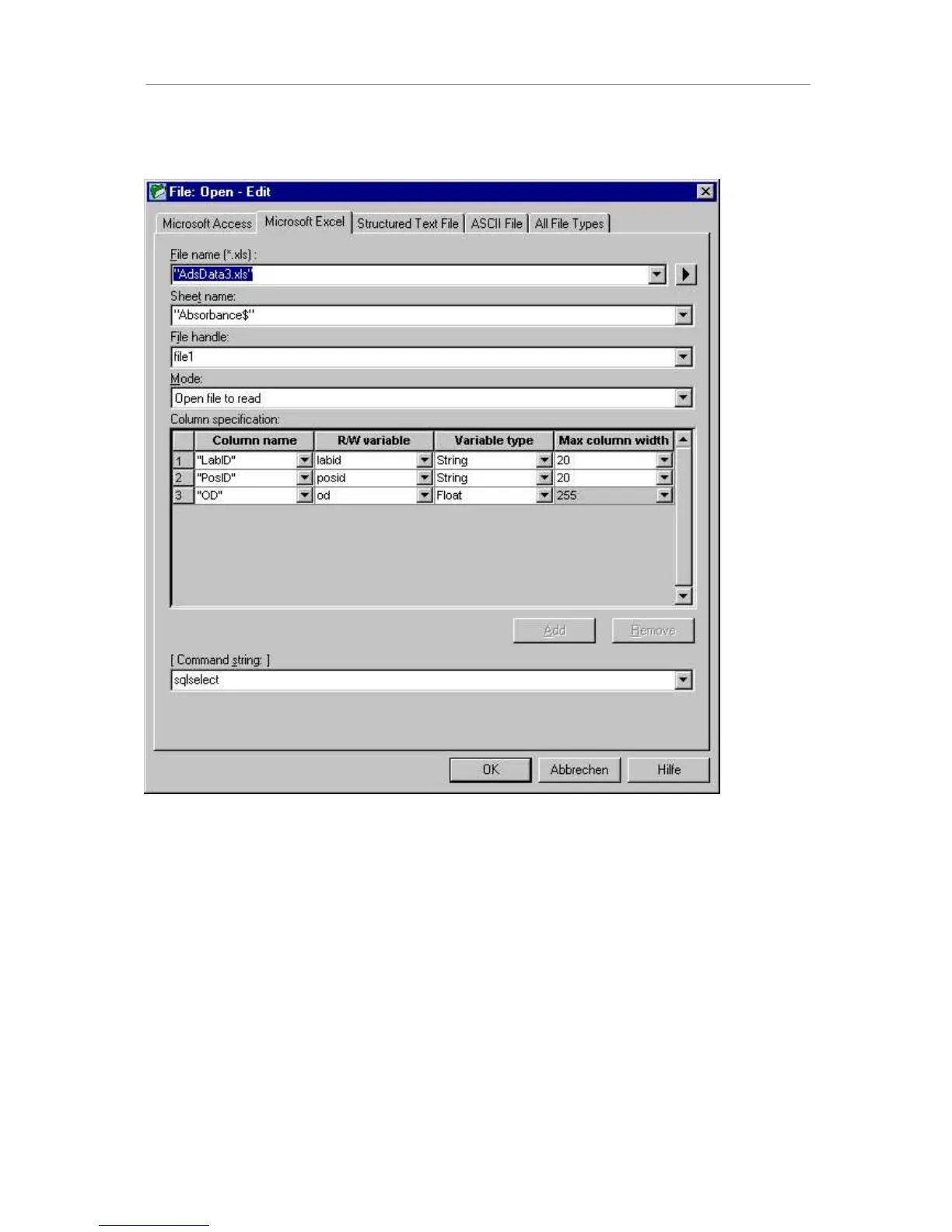
within this step. Drag the green “Open File” icon to the method tree:
Select the tab for opening excel files. In the first input field, the file name is requested. Note
that the file type is an Excel file (.xls) where the sheet name (sheet1 if not defined otherwise)
and the $ sign must be added within the quotation marks. Define a file specifier (here the
default: file1), which is just a name for the file used within your method. Data will later be
read from this file, making reference to this file specifier. Select “Open File to Read” as a
mode, since you want to read data from the file. Now define the file format. Here a variable is
assigned to each column of the file. Later, for each reading step, one record (one line) is
read from the file, and the numbers read are assigned to their corresponding variables
automatically.
Now define the file structure. One line in the “column specification” of the file opening dialog
represents one column in your file. Click on the “Add” button to add the next line to the
dialog.
Enter the data as given in the foregoing screen. A header, a variable and a variable type are
assigned to each column. The maximum column width is 20 for the string variables which are
of interest here.



 To Next Page