Microlab
®
STAR User Manual
Page 66 of 225 610766/02
*UDSKLFDO0HWKRG(GLWRU
Methods are short programs that string a number of specified commands (such as aspirate
or dispense) together to instruct the instrument to perform a function. They can be as
complex or as simple as the user desires. Access to a method editor is necessary to define
or edit methods.
The Graphical Method Editoris a syntax-free editor that presents a batch-like graphical
editing environment. Common constructs such as loops, conditionals and built-in functions
are supported by this editor. It also provides a variable management system. This system
simplifies variable usage by allowing implicit declarations and by supplying complete variable
context to edit dialogs. The output of the Method Editor is a linked set of files that may be
executed by the 5XQ6FUHHQ or further customized using the +6/0HWKRG(GLWRU (see chapter
+6/ Method Editor, page 96).
In most cases (but not necessarily), a method references one single deck layout. The
0HWKRG(GLWRUis accessed by clicking on the (GLW0HWKRG button in the 'HFN/D\RXW(GLWRU,
after the deck layout has been defined and saved, e.g. as “MyDemo” (.lay). Alternatively, the
method editor may be started directly from the desktop.
0HWKRG(GLWRU
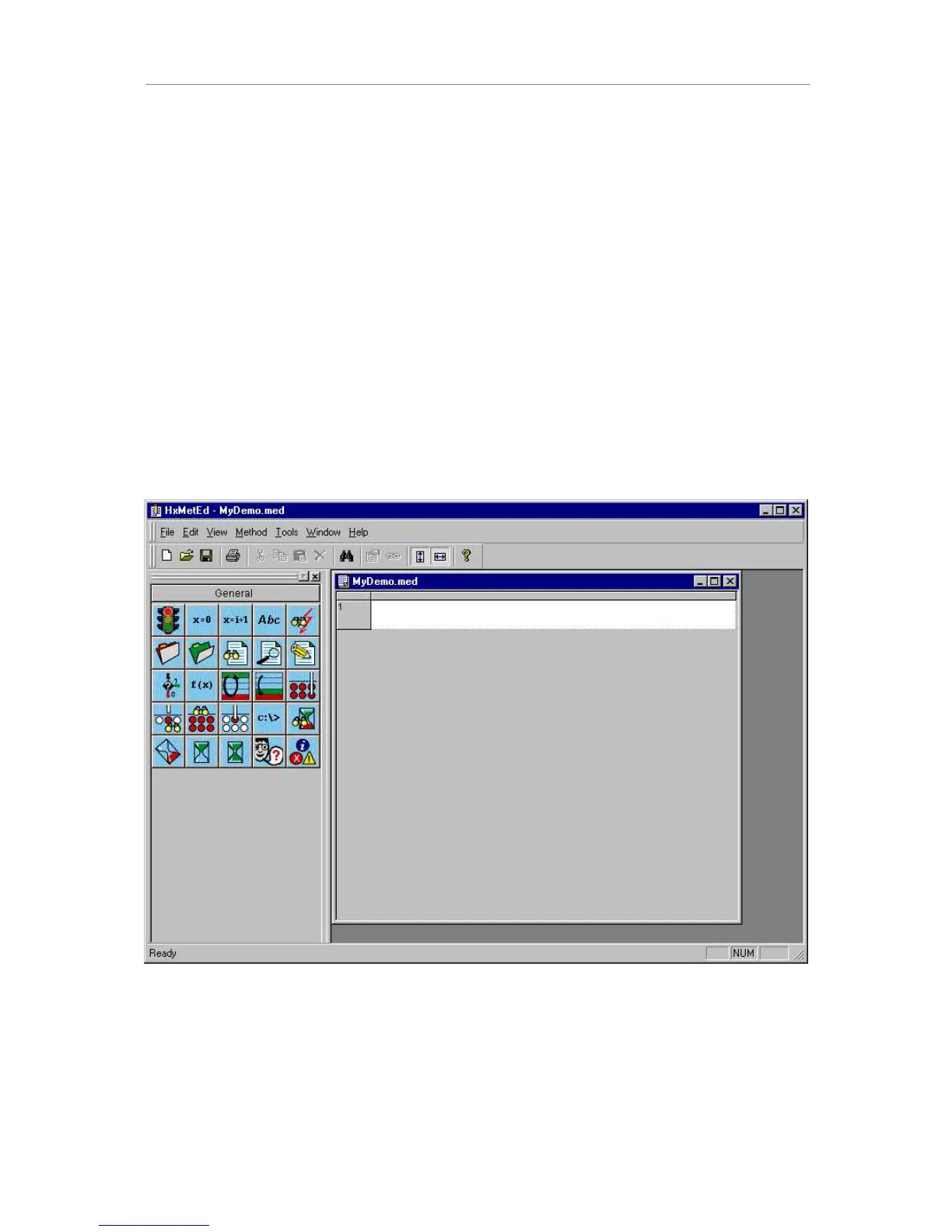
The Method Editoris divided into 2 sections:
The 0HWKRG9LHZ on the right is a grid containing the method.
The 7RROER[:LQGRZon the left offers various elements that can be used to build the
method, grouped by bars.



 To Next Page