Microlab
®
STAR User Manual
610766/02 Page 93 of 225
%LQGLQJ,QVWUXPHQW6WHS5HWXUQ9DOXHV
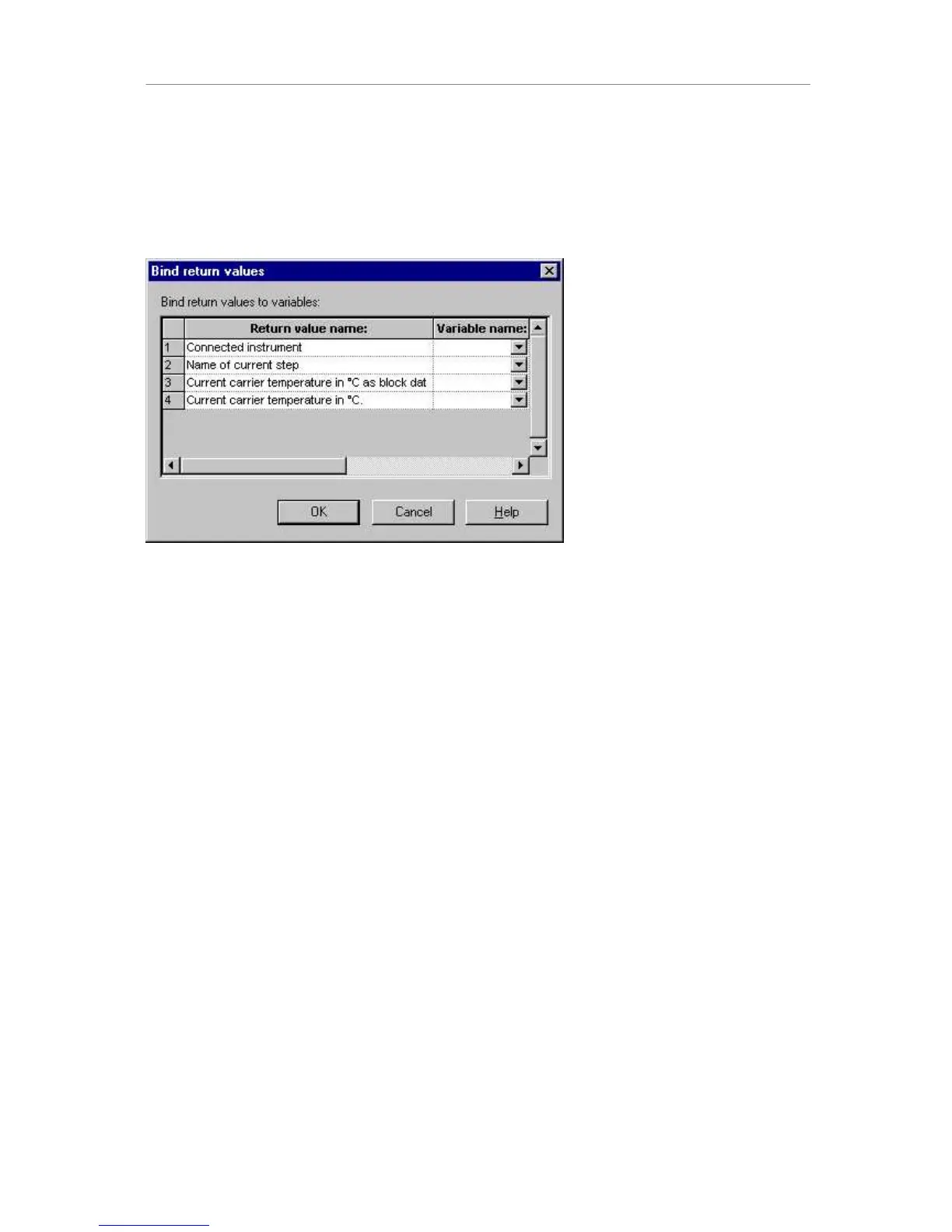
If an instrument step returns information, it can be bound to a variable by opening the %LQG
UHWXUQYDOXHVdialog (select step of interest and select menu (GLW%LQGUHWXUQYDOXHV). For
example, the get temperature step of the temperature-controlled carrier returns the
temperature and other information:
%LQG5HWXUQ9DOXHVGLDORJ
These pieces of §information can be stored in a variable for further processing or output. The
dialog generally lists the return values, each with an editable field to define the variable the
return value is to be bound to.
:RUNLQJZLWK:RUNOLVWV
)LOH)RUPDWV
Frequently, you will want to import and export worklists. The “open file” command of the
Method Editor is designed to enable such file handling. The data source type (format) is
identified from the extension of the worklist’s file name. The editor supports:
Microsoft Excel .xls
Microsoft Access Database .mdb
Text Files .txt, .csv, .tab, .asc
No other extensions are supported.
:RUNOLVW+DQGOLQJZLWK0LFURVRIW([FHO
You can specify a subset of the available data when you first open a Microsoft Excel
workbook. In a workbook file, you can open a single worksheet, a named range anywhere in
the workbook, or an unnamed range in a single worksheet.



 To Next Page