Microlab
®
STAR User Manual
610766/02 Page 47 of 225
,QVWUXPHQW&RQILJXUDWLRQ
As described in Chapter 3, the Microlab STAR is available in several variants. To configure
the User Software to a specific instrument configuration, the Configuration Editor is available
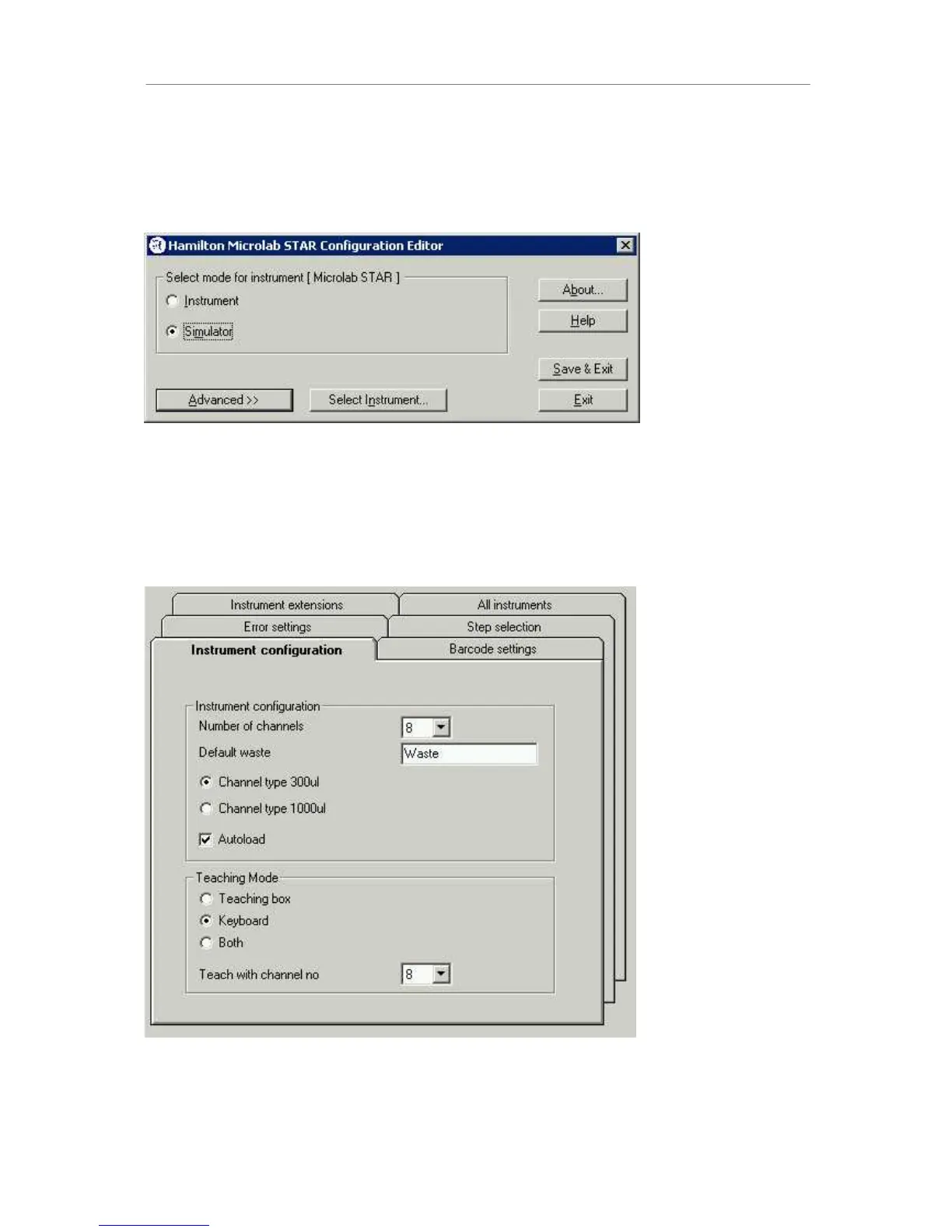
within the Deck Layout Editor under Tools->Configuration:
The first decision to be made - prior to a run - is whether to run the method with the
instrument or to simulate the run without using the instrument. Run simulation is a tool to test
whether a method has been programmed correctly. The run simulator creates a method
trace file with pipetting pattern and other useful information.
Click the Advanced button to access the instrument configuration screen. Different tabs are
visible:
7KHWDE,QVWUXPHQWFRQILJXUDWLRQ
Select your instrument configuration. Waste16 (as in picture above) is the correct sequence
of the waste container for disposable tips. Teaching mode refers to the possibility of
“teaching” positions on the instrument deck, which can be done moving the arm by the



 To Next Page