Microlab
®
STAR User Manual
610766/02 Page 89 of 225
:ULWLQJD0HWKRG
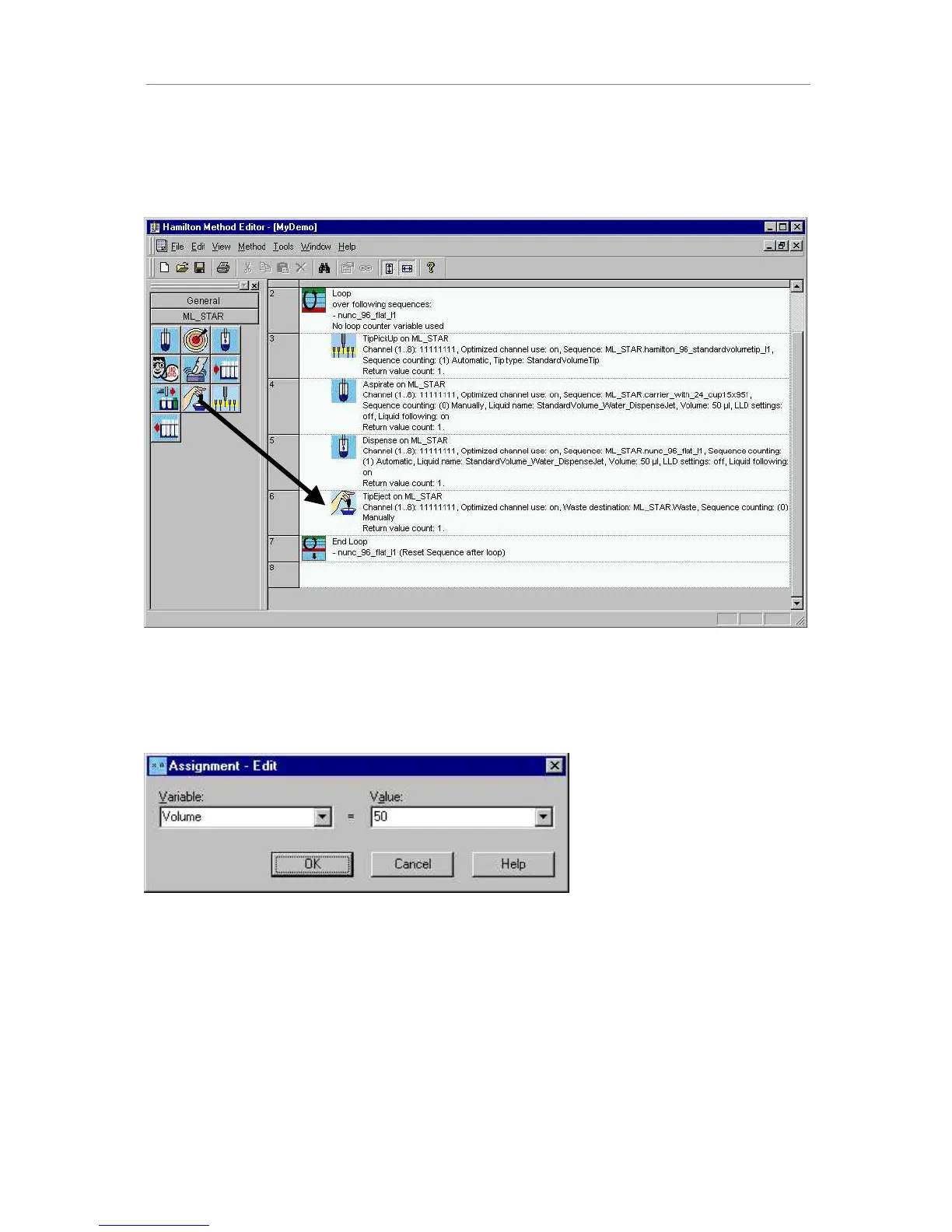
You can now easily write a method by dragging icons from the toolbox on the left and
dropping them into the method window on the right.
$VLPSOHPHWKRG
Inserting a new command or double-clicking on an existing command opens the appropriate
dialog to edit the command-specific parameters, for example the $VVLJQPHQWcommand,
used to define and assign variables:
$VVLJQPHQWSDUDPHWHUGLDORJ
(GLWLQJD0HWKRG
A method can be edited by the usual Windows copy-and-paste techniques. Mark the step or
the block of adjacent steps within the method editor and right-click the method window to
access the cut/copy/paste menu. To insert a step from the buffer, click on the line above
which the step should be inserted, and then paste.



 To Next Page