Microlab
®
STAR User Manual
610766/02 Page 67 of 225
At the beginning of a new method, there is only one bar named *HQHUDO, containing the
common language elements such as LIHOVH, ORRS, IXQFWLRQFDOO, etc. No instrument-specific
steps (e.g., aspirate) are visible so far.
All VWHSVFDQEHGLVDEOHGHQDEOHGRQUHTXHVW by right-clicking a step or a block of steps
and selecting disable/enable from the menu.
It is possible to load different methods into the editor and FRS\VWHSVEHWZHHQWKH
PHWKRGV.
*HQHUDO0HWKRG&RPPDQGV
A detailed description of all commands in the general method editor is directly available from
the software. Invoke the Help menu for more information.
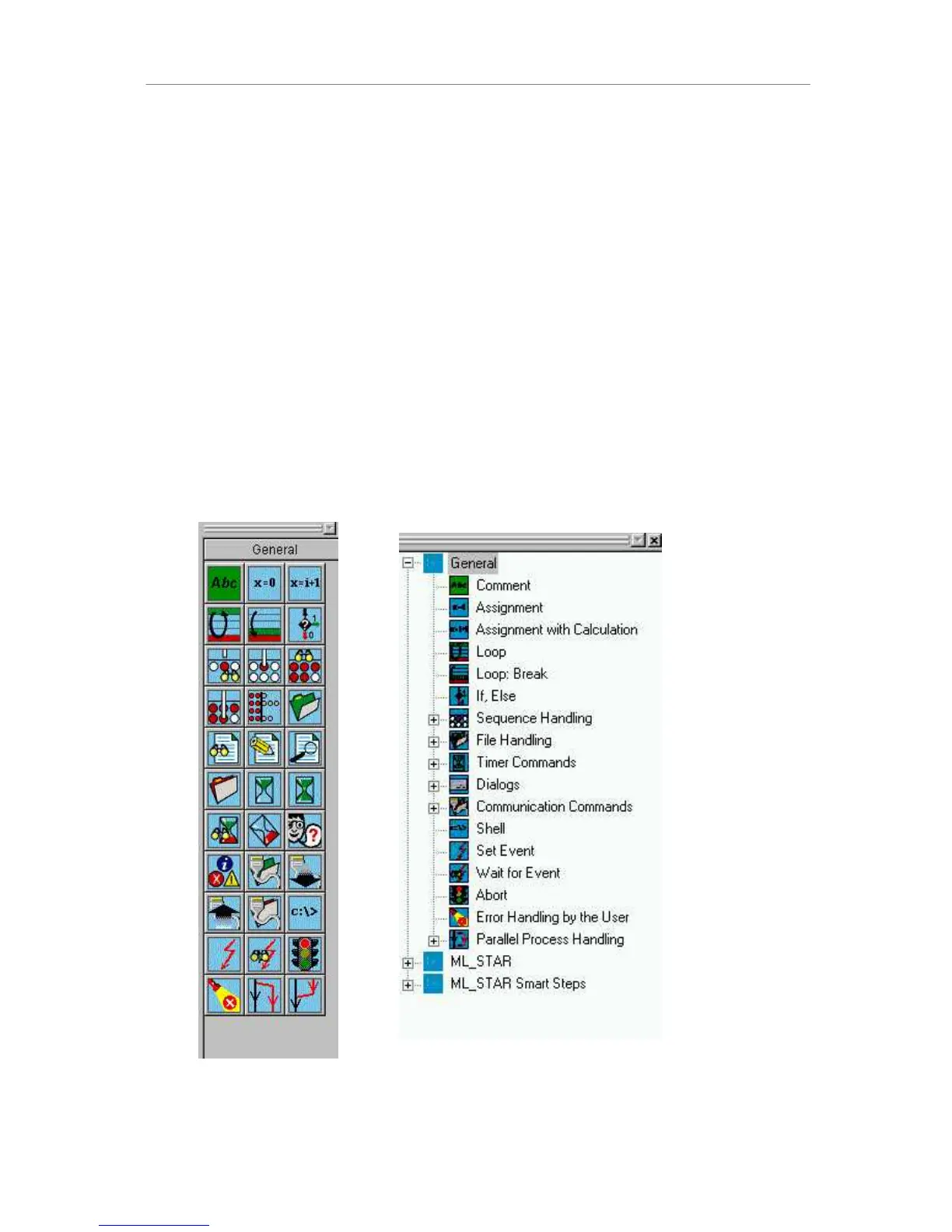
A number of standard commands are available, as you can see from the figure below. For
an explanation of the command buttons on each line (numbered for convenience), see the
listing following the figure.
Whatever input is necessary for the individual commands, all input fields labelled with text in
brackets [GHVFULSWLRQ] contain optional information or the default may safely be accepted.
*HQHUDOFRPPDQGVOLVWLQJLQLFRQDQGWUHHYLHZ5LJKWFOLFNLQWKHWRROPHQXWRVZLWFK
EHWZHHQWKHGLIIHUHQWYLHZV
1
2
3
4
5
6
7
8
9
10
11



 To Next Page