Microlab
®
STAR User Manual
610766/02 Page 43 of 225
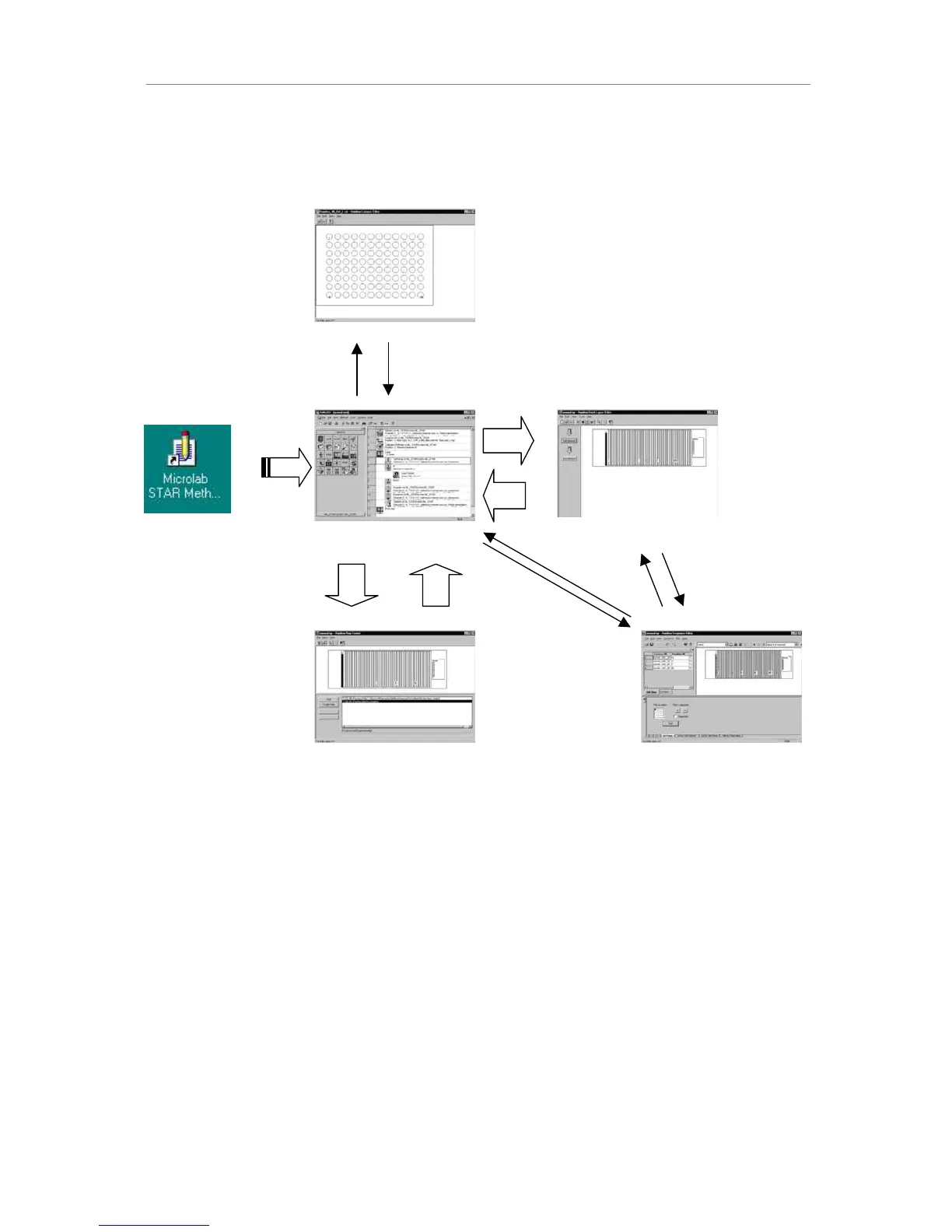
Alternatively, the user may start with the method editor as the master editor (if there is no
shortcut to the method editor, create it manually. The relevant executable file is
...\hamilton\bin\HxMethEd.exe):
The auxiliary modules and tools (small arrows in the above figures) are called from the tool
menu by menu items or tool icons. Finally, the method is executed using the independent run
control. In some cases, one may wish to define special labware items or sequences
(pipetting patterns - see below) using the labware editor and the sequence editor.
0HWKRGVDQG'HFN/D\RXWV
The Microlab STAR User Software allows an QQ relation between deck layouts and
methods. This means that one deck layout may be used for different methods or one method
uses different deck layouts, e.g., to link two Microlab STARs, or a Microlab STAR and a
Microlab SWAP.
The run control allows you to start either deck layouts (with the corresponding method if
there is only one), or, in general, methods. These methods are then either executed or
simulated.
Method Editor is
Master
Deck Editor is Slave
Run Control is Slave
Labware Editor:



 To Next Page