Microlab
®
STAR User Manual
610766/02 Page 99 of 225
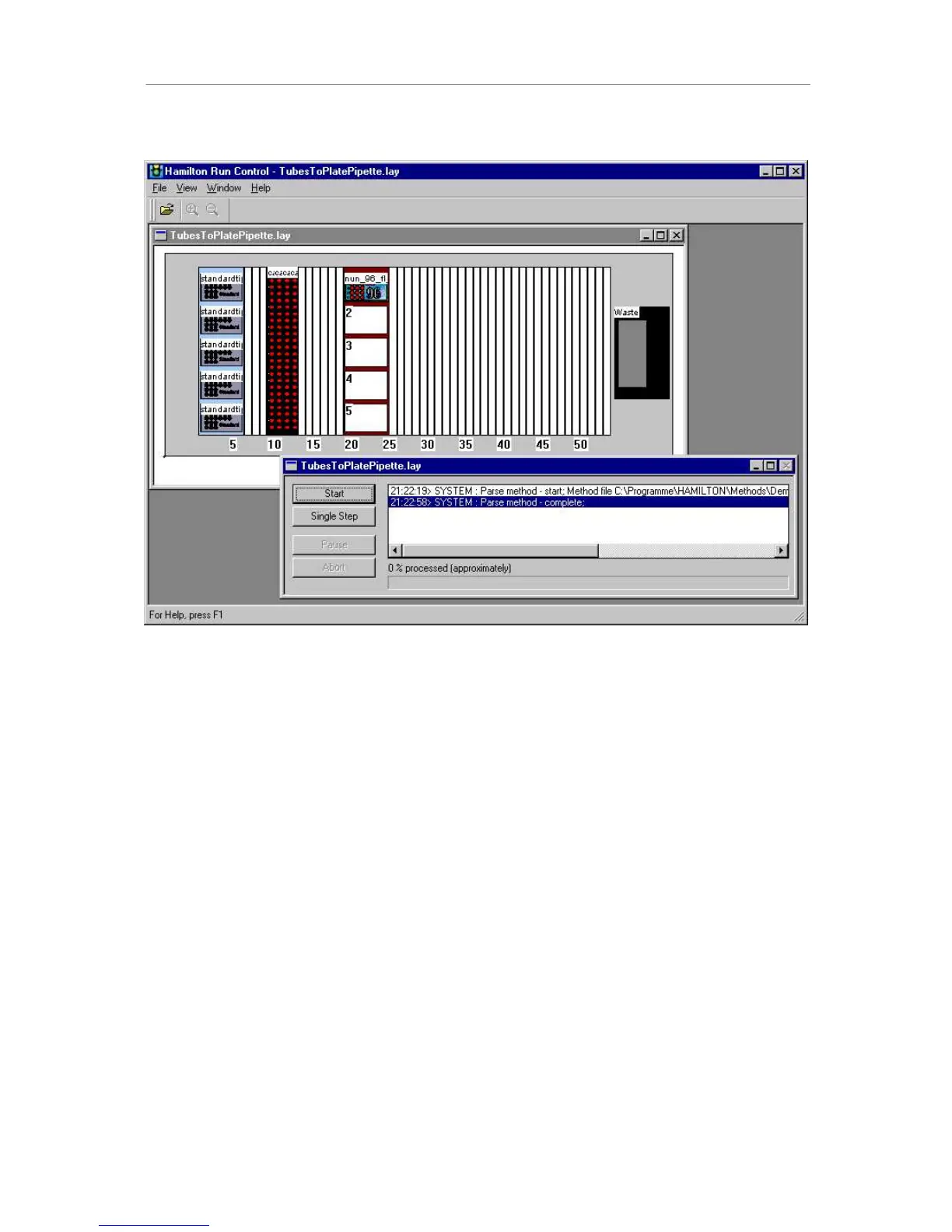
After loading and parsing a method you can use the 6WDUWbutton to execute it.
$PHWKRGUHDG\WRUXQ
Each executed instrument step is logged in the log window.
The choices within Run Control are
• To start a method
• To abort a method
• To use single steps (system pausing after each single step)
• To pause a method (to be continued later)
Clicking on the deck layout view of the Microlab STAR within Run Control adds the Tools
menu to the menu list. Here you will find shortcuts to access the configuration and liquid
editor. The configuration editor is used to switch between simulation and instrument mode.
1
27(
7RVLPXODWHDUXQDOZD\VVHWWKHLQVWUXPHQWFRQILJXUDWLRQWRDXWRORDGHYHQIRUDPDQXDO
ORDGLQVWUXPHQW'RQ¶WIRUJHWWRVHWWKHFRQILJXUDWLRQEDFNWRPDQXDOORDGZKHQSHUIRUPLQJD
UXQZLWKDPDQXDOORDGLQVWUXPHQW



 To Next Page