10
Low speed switch button [18]
Press this button and indicator light[19] is on, it
means the truck changes to low speed travel
mode. When in low speed mode, the truck will
travel in low speed, 40% of max. travelling
speed.
Press this button and indicator light[19] is off, it
means the truck changes to normal travelling
mode.
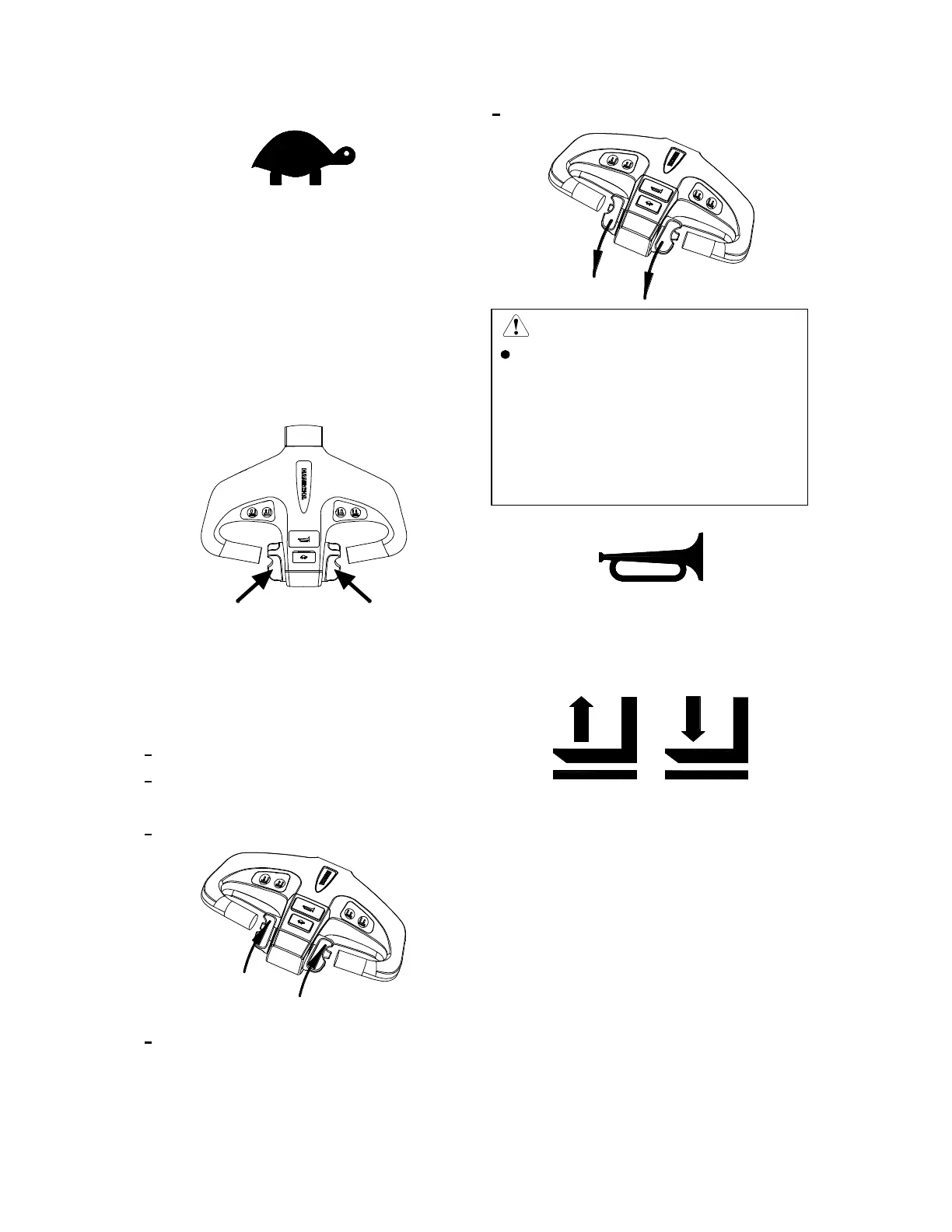
Direction and speed control button [20]
This button is at both sides of control lever
head, one linkage per left and right. It is to
control travelling direction and travelling
speed.
Truck travels to the fork side
Press this control handle downwards.
Turn this button from the side of body to
outside gradually with thumb.
Truck travels to the fork side.
Truck travels to the handle side(or pedal)
Press this control handle downwards.
Turn this button towards the side of body
gradually with thumb.
Truck travels to the handle side(or pedal).
CAUTION
After the finger is released, the
direction and speed button will
itself and the truck will stop by
brake. So do not loosen the knob
when the truck is requested to
continue driving.
Horn button [21]
The button is located on the front of the control
handle upper surface. Press down the button,
and the horn sounds.
Lifting button [22], lowering button [23]
The lifting button and the lowering button are
located on both side surface of the middle
control handle. Press the lifting button, and the
forks move up; press the lowering button, the
forks go down.
When the capacity of batteries is consumed up
to 80%, the lifting function will be locked.


 To Next Page