39
LOGGING
DELETE ALL LOTS
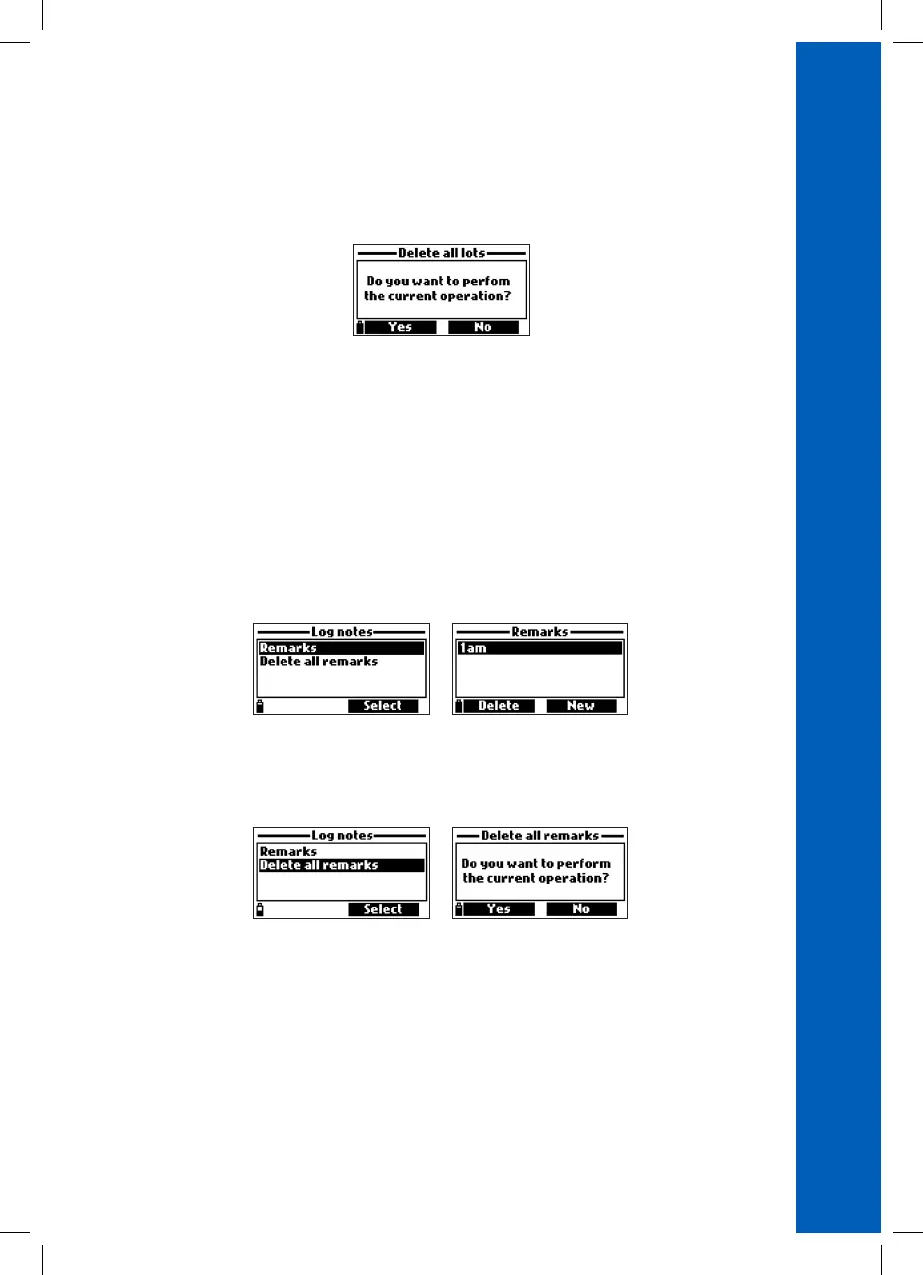
• From ‘’Meter log recall’’ choose Delete all lots and the meter will ask for confirmation. Press Yes
to delete or No to return to the previous screen.
• To return to the “Log recall” menu, press ESC.
11.4. LOG NOTES
REMARKS
A remark can be associated with each sample.
The meter can store up to 20 remarks.
• To add a remark, select Log notes from the Log menu, and then select Remarks.
• The display shows a list of stored remarks.
• Press New to create a new remark, and use the keypad to enter the new remark in the text box.
• Press Delete to delete the selected remark from the meter. If the deleted remark is used in an
existing lot, the information will still be available in the lot data.
DELETE ALL REMARKS
• Select Delete all remarks to delete all remarks. The meter will ask for confirmation. Press Yes to
delete or No to return to the previous screen.



 To Next Page
 Loading...