3 - Description
32
3. To manually switch both lines on together.
In the case of some grass weed selective herbicides there may be a requirement to use two sets of small nozzles where
higher application rates can be achieved while maintaining small droplet production.
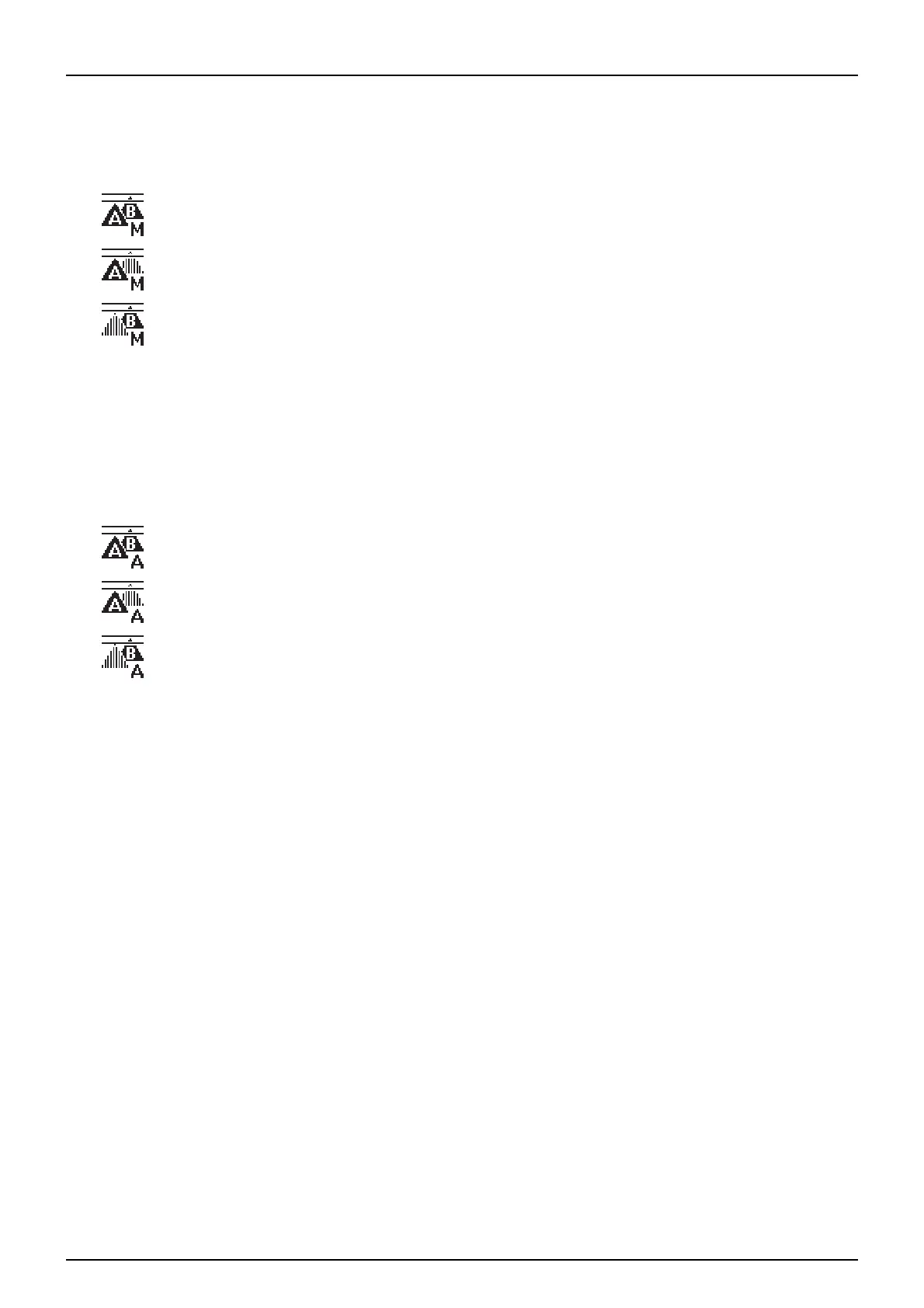
Status icons are:
4. To automatically switch the second boom line on.
If the minimum and maximum forward speed is outside the effective operating pressure range of the nozzle then a
second boom line can be switched On and Off automatically based on pressure. As the forward speed increases the
nozzles pressure rises.
At a predetermined operating pressure, the AutoSelect controller switches in the second boom line. The pressure falls
providing for the forward speed to be increased.
Status icons are:
icon is shown when both lines are active and in manual mode.
icon is shown when line A is active and in manual mode.
icon is shown when line B is active and in manual mode.
icon is shown when both lines are active and in auto mode.
icon is shown when line A is active and in auto mode.
icon is shown when line B is active and in auto mode.



 To Next Page
 Loading...