1B30E, 1B50E / 02 - Rev. 01 Maintenance
HATZ
69Manual
Procedure
Step Activity Figure
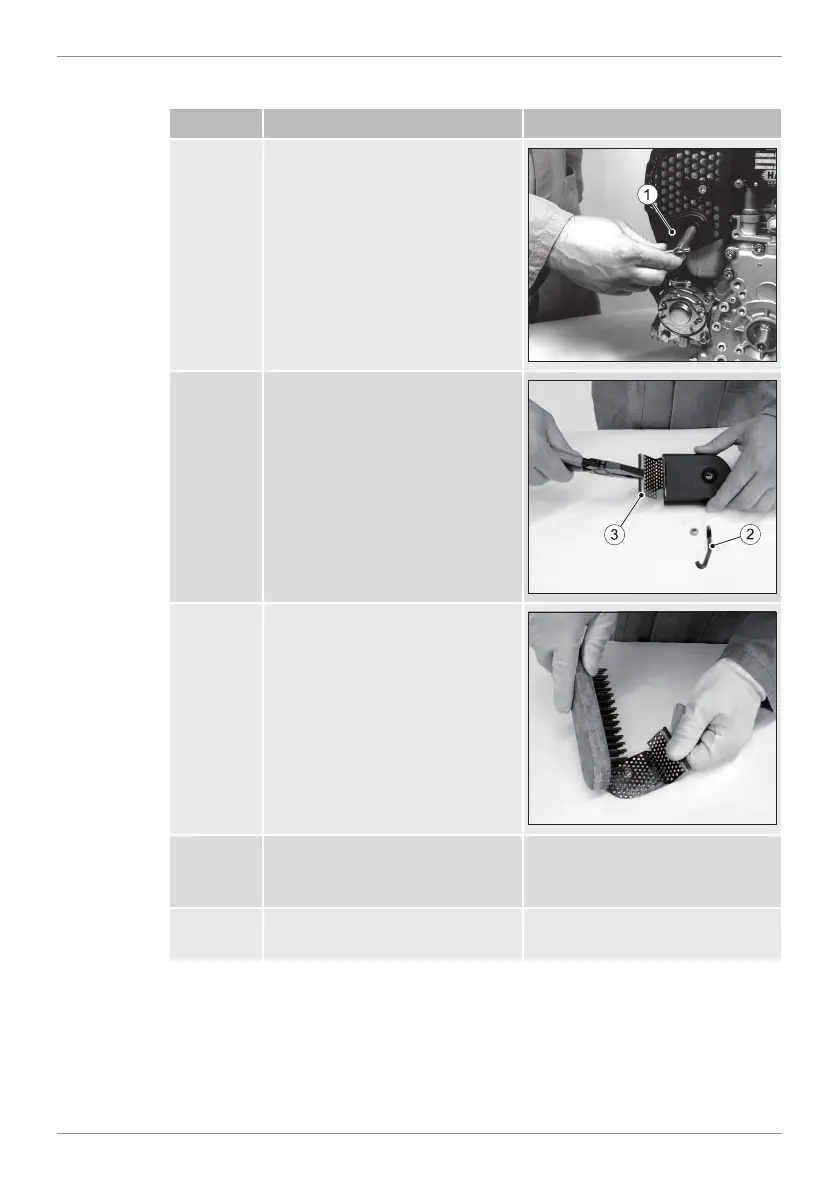
1 Release the hex nut and take
off the exhaust manifold(1).
2 Remove the hex nut from the
bracket(2) and pull out the
screen insert(3).
3 Remove the deposits in the
screen insert with a suitable
wire brush.
4 Check the screen insert for
cracks or breakage, and re-
place if necessary.
5 Mount the screen insert and
bracket again.


 To Next Page