Operation
Control elements
48 A03470_07_E00_00 HBM: public DMP41
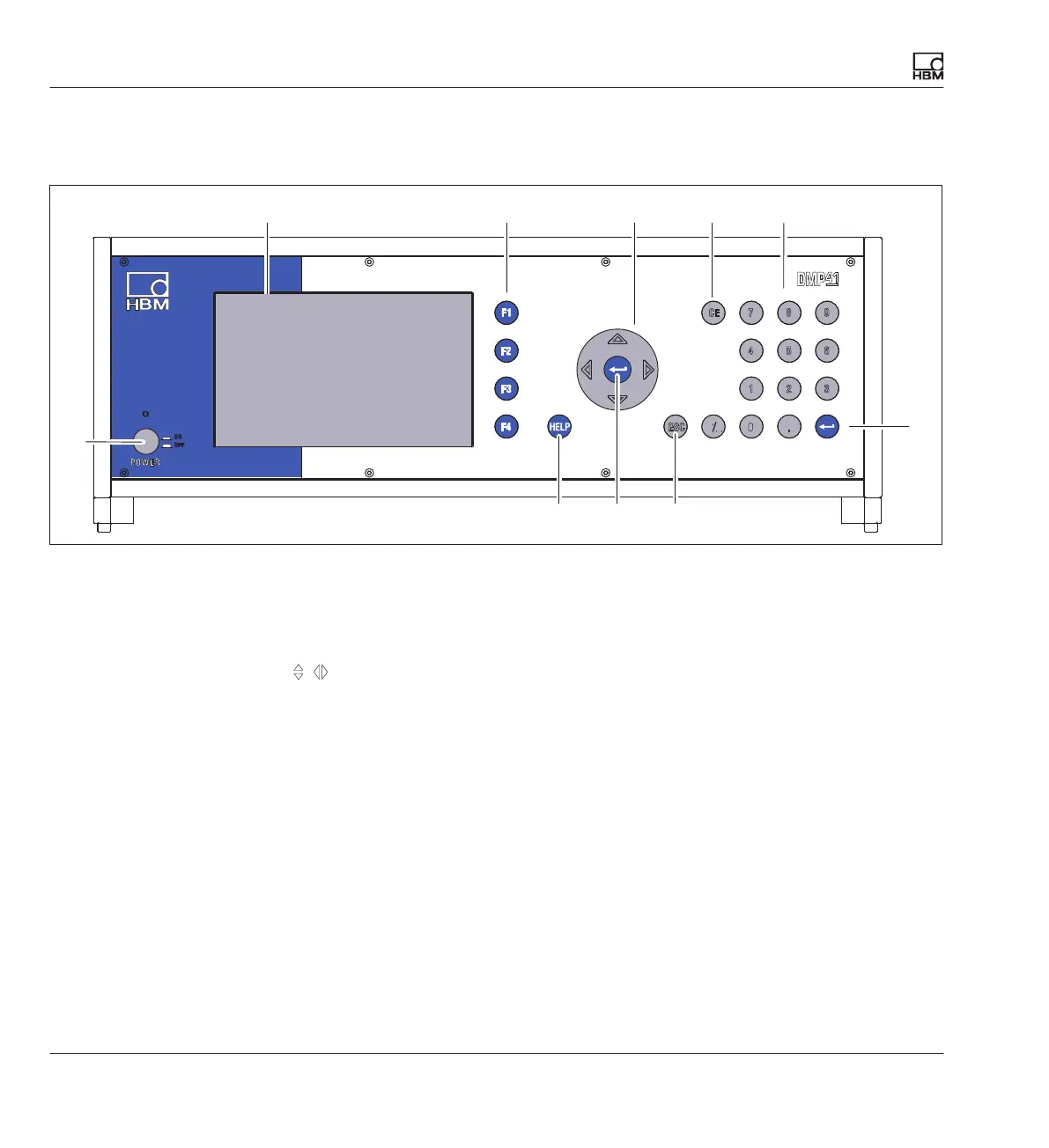
6.1 Control elements
43215
6
7
9
8
6
Display/TouchScreen
Function keys F1 to F4
Active in measuring and setting mode
Cursor keys and Enter key
Navigation in measuring and setting mode
Delete key
Deletes the character currently in the cursor position
Alphanumeric keypad
For entering numbers in the edit fields of the display
Enter key
Activates the settings that have been made
Escape key
Resets the last entry in menus or selection fields (excluding text fields) and
closes the online help
Help key
Activates the online help for the functions currently activated
On/Off switch
1
2
3
4
5
6
7
8
9



 To Next Page