Operation
Display/TouchScreen
56 A03470_07_E00_00 HBM: public DMP41
6.4 Display/TouchScreen
6.4.1 The first display
After the mains voltage is switched on, the DMP41 is initialized and detects
the components that are present. This procedure takes approx. 45 seconds.
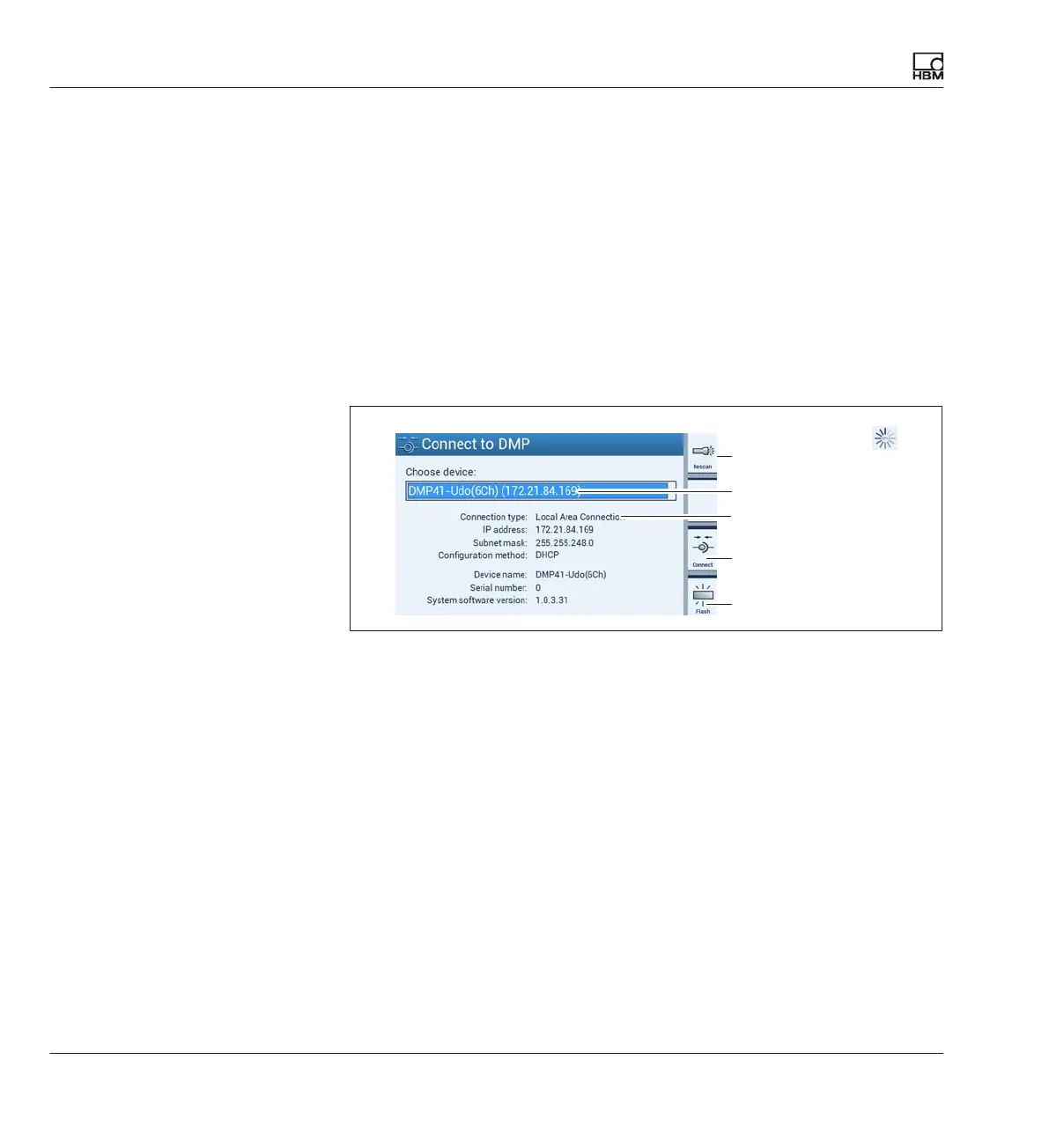
Start screen on the PC
The PC start screen shows the selectable, connected DMP41s. General
information about the selected DMP41 will also be displayed.
1
3
2
4
Searches the
network again for
DMP41 devices
Chooses a DMP41 in the network
Information about the selected DMP41
Connects the selected DMP41 to the PC
The display of the selected DMP41 flashes
► Choose a DMP41 (1).
Information about the selected DMP41 is shown underneath (DHCP,
device address, etc.) (2).
► Confirm this with Connect (3).
You are taken to measuring mode (
è see Chapter
“Display in measuring mode (Measure)”, Page 57)
If several DMP41s are connected, you can use the Flash (4) function to
identify a DMP41. The display on the front panel of the DMP41 becomes
alternately brighter or darker.
1
2
3
4



 To Next Page