Operation
Display/TouchScreen
DMP41 A03470_07_E00_00 HBM: public 57
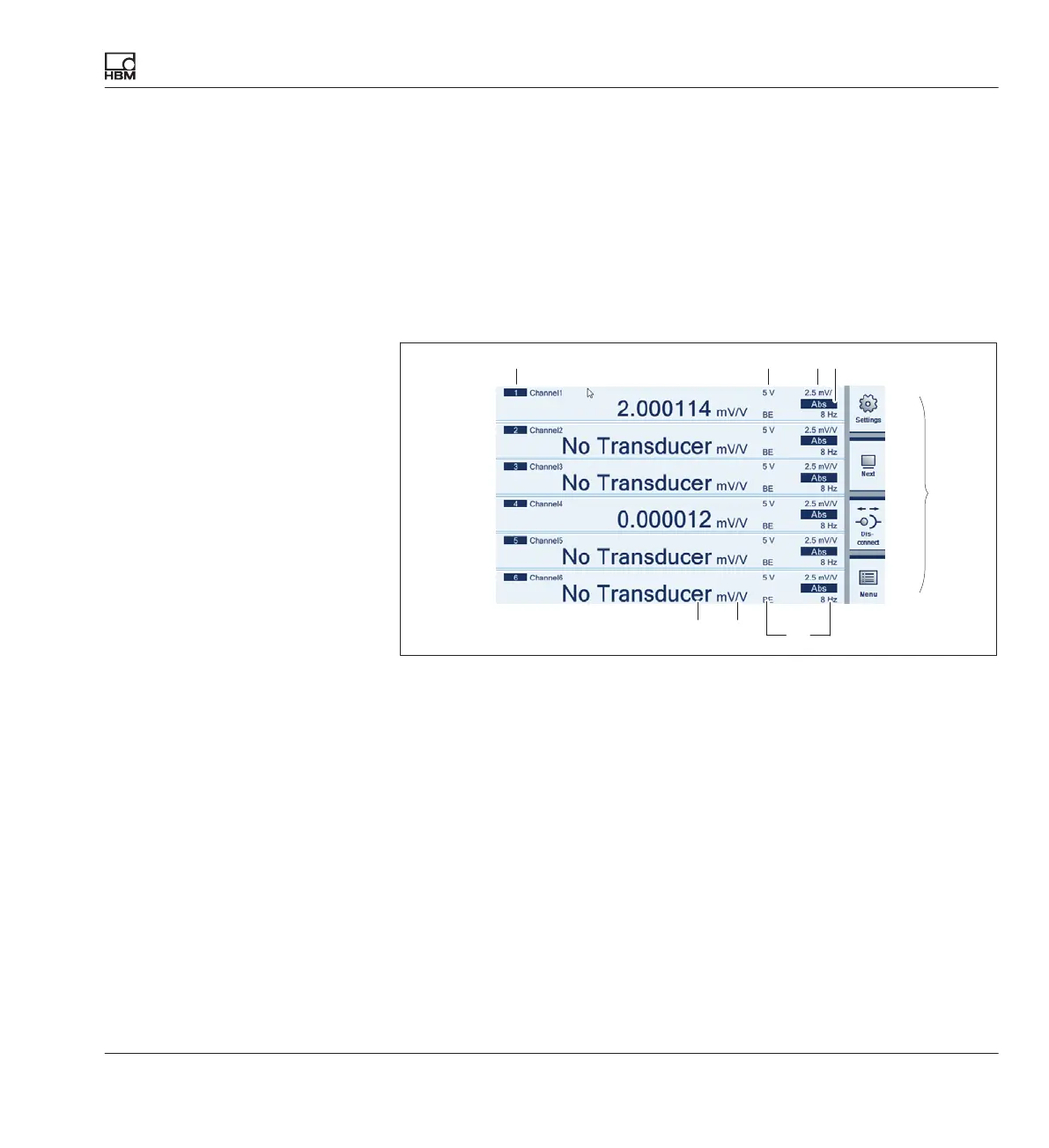
6.4.2 Display in measuring mode (Measure)
Start screen on the DMP41(measuring mode)
The measured values for all the selected channels are displayed in
measuring mode.
Press the shift key F1 to be taken from measuring mode to setting mode
and vice versa (
è see Chapter 6.4.3 “Display in setting mode (Settings)”,
Page 60).
F1
F2
F3
F4
2134
5
678
Channel number
Excitation voltage
Measuring range
Output signal (absolute, gross, net (
è see Page 59)
Function keys (
è see Page 48)
Filter
Unit
Measured value
Shift key for measuring mode/setting mode
Shift key for the number of displayed measurement channels (1, 2, 4, 6)
Connection/disconnection of the DMP41 (PC operation only)
To the quick configuration bar (and back)
1
2
3
4
5
6
7
8
F1
F2
F3
F4



 To Next Page