Configuration
Basic configuration options
DMP41 A03470_07_E00_00 HBM: public 65
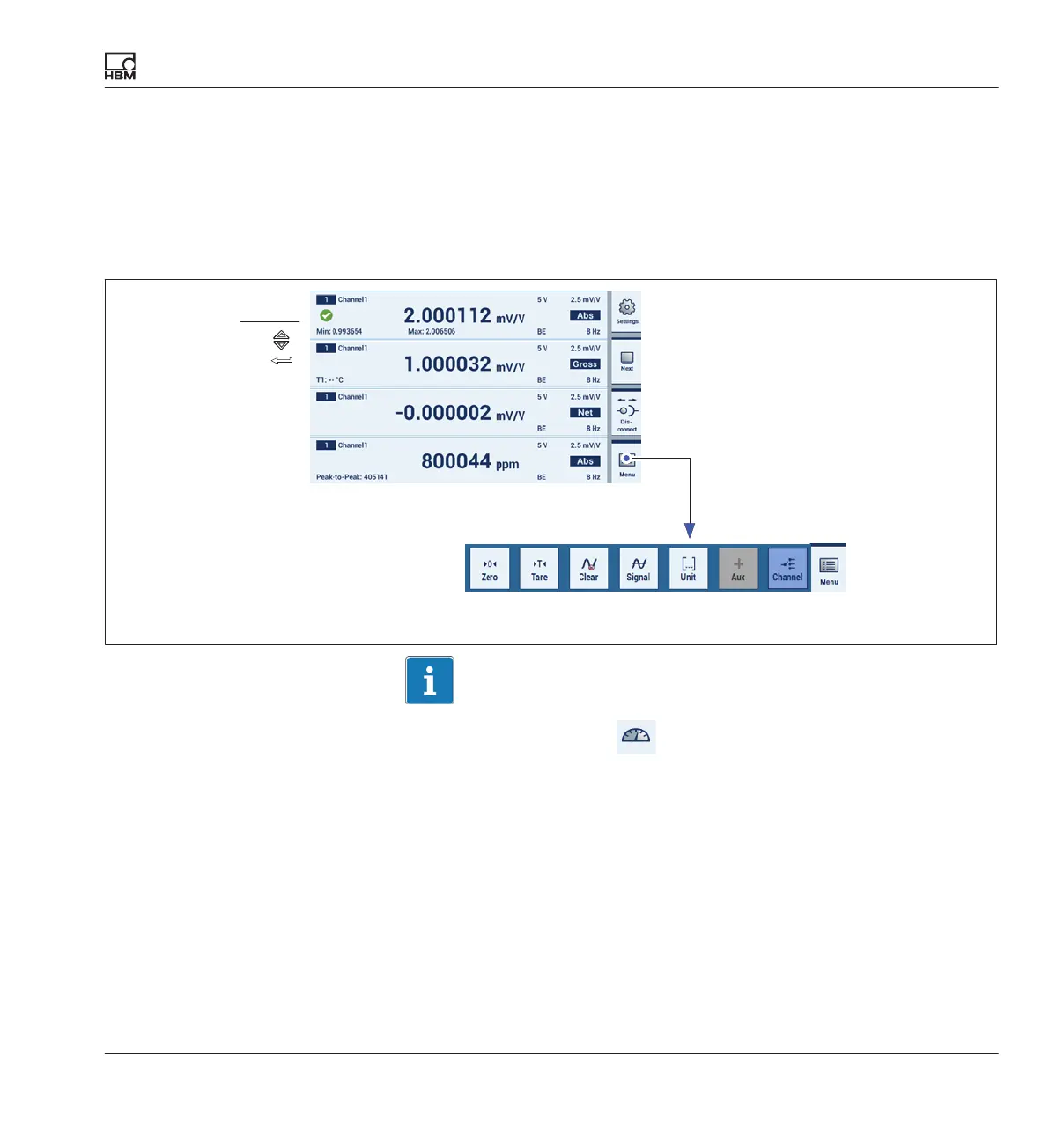
Selecting and marking channels
The cursor, the mouse (with a PC) or touch can be used to assign the
measured value displays.
A channel to which a measured value is assigned is identified by a green
checkmark. Click again to remove the marking.
Channel selection
marking
Inputs via this menu only act on the selected channels (è also see
Chapter 6.1 “Control elements”, starting on Page 48).
Quick configuration bar
Measuring mode
Information
The inputs in setting mode
do not depend on the channels marked
here.



 To Next Page