Configuration
Configuring measurement channels in setting mode
DMP41 A03470_07_E00_00 HBM: public 71
7.2.4 Filter type and filter frequency
Low-pass filters are used to suppress unwanted higher frequency interfer
ence that lies above a specific cut-off frequency.
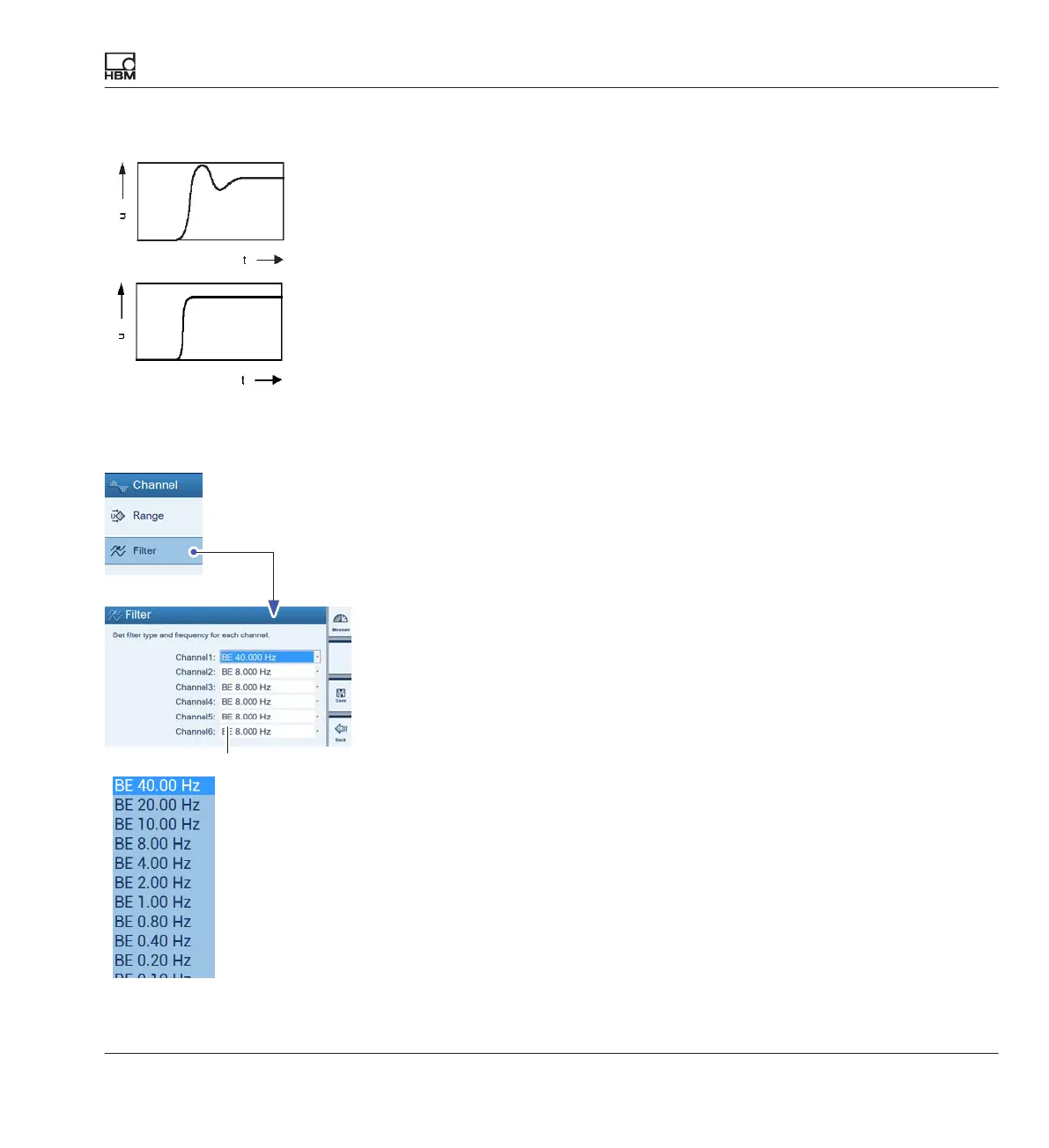
The amplitude response, runtime and step response are dependent on the
filter characteristics. You can choose between Butterworth characteristics
and Bessel characteristics.
Butterworth characteristics show a linear amplitude response with a steep
drop above the cut-off frequency. There is an overshoot of approx. 10%.
Bessel characteristics show a step response with very little (<1%) or no
overshooting. The amplitude response drops less sharply.
Nominal (rated) values are amplitude damped for -3dB.
The settings are explained with the following example:
Masses are to be determined with a scale. The scale stands on a foundation
that tends to oscillate around 12 Hz. Interference frequencies over 12 Hz
must be filtered out.
► Press shift key F1to switch to setting mode (Settings).
► Press Filter.
► Select BE, 1 Hz for the individual channels (corresponds to damping of
> 90 dB at 12 Hz).
► Press Save.
► Press shift key F1 to return to measuring mode (Measure).
Step response
Step response
Butterworth
Bessel
F1
scrollin
g



 To Next Page