Configuration
Configuring measurement channels in setting mode
DMP41 A03470_07_E00_00 HBM: public 73
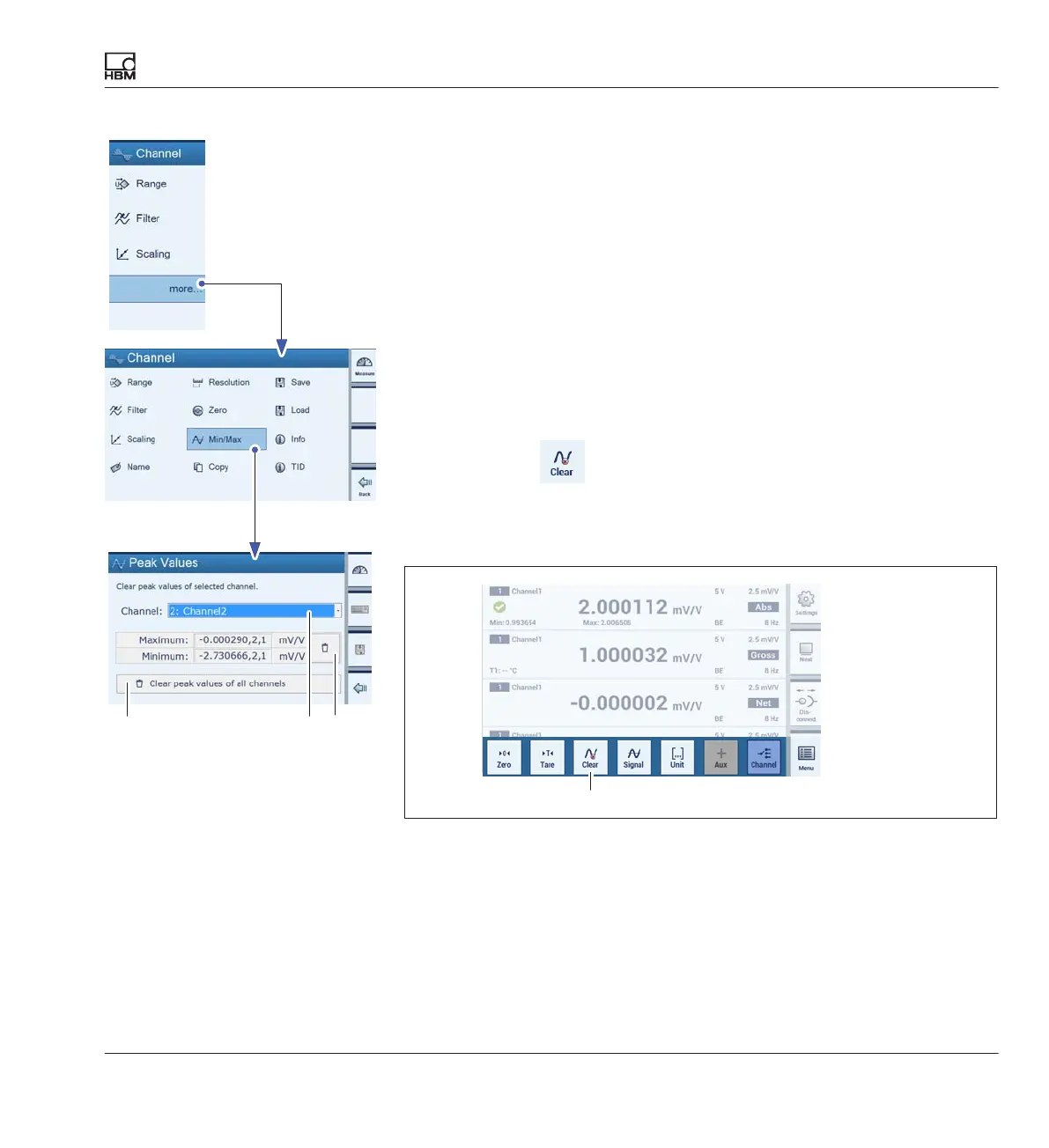
Clearing the peak value memory per channel (Min/Max Peak Values)
There are three ways to clear the peak value memory:
S Via the Min/Max menu (of the selected channel (A) or of all the channels
(B)).
► Press more....
► Press Min/Max (Peak Values).
► Choose the channel from which you want to delete the peak values (A).
► Press (C).
The peak values are deleted.
- Via a computer using the command CPV
- Directly via
(quick configuration bar)
► Press shift key F1 to switch to measuring mode (Measure).
► Press Clear (D).
D
AB
C



 To Next Page