Configuration
Device configuration in setting mode
84 A03470_07_E00_00 HBM: public DMP41
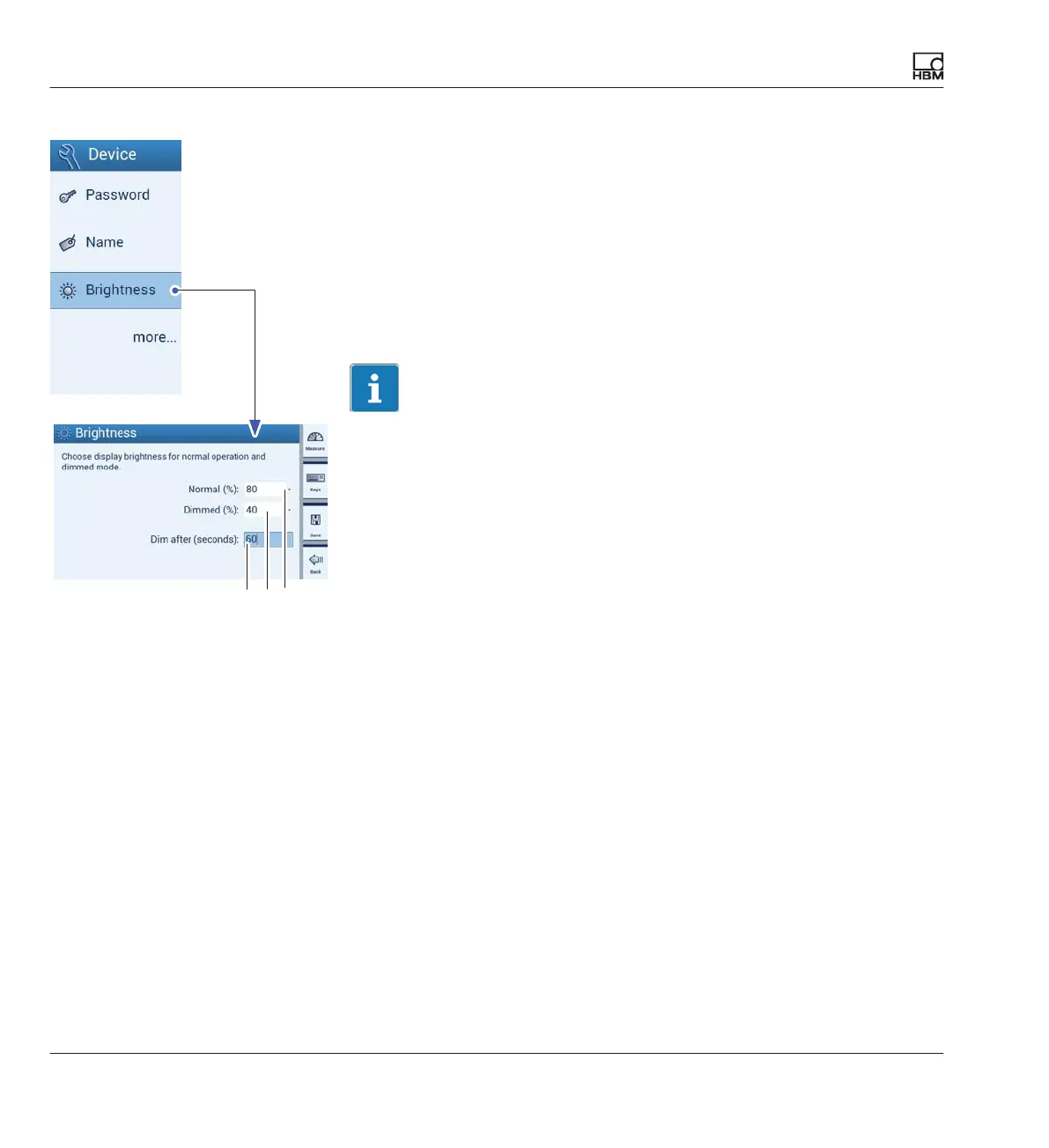
7.3.3 Display brightness (Brightness)
The display brightness can be set between 1 and 100% of the normal
brightness and between 0 and 100% of the dimmed brightness.
Setting the waiting time before the display brightness is dimmed (Dim after
(seconds)):
If no input occurs on the DMP41 (by keyboard or touch operation) for some
time, the display brightness is reduced to the set dimmed brightness after
the set waiting time has elapsed (1 to 3600 seconds).
Tip
Setting the dimmed brightness to < 100% will help increase the service life
of the display.
► Press Brightness.
► Choose a %-value for Normal.
► Choose a %-value for Dimmed.
► Choose a %-value for Dim after (seconds).
► Press Save.
A: 1 … 3800 seconds
B: 0 … 100% scrollable
C: 1 … 100% scrollable
ACB



 To Next Page