Configuration
DMP41 A03470_07_E00_00 HBM: public 85
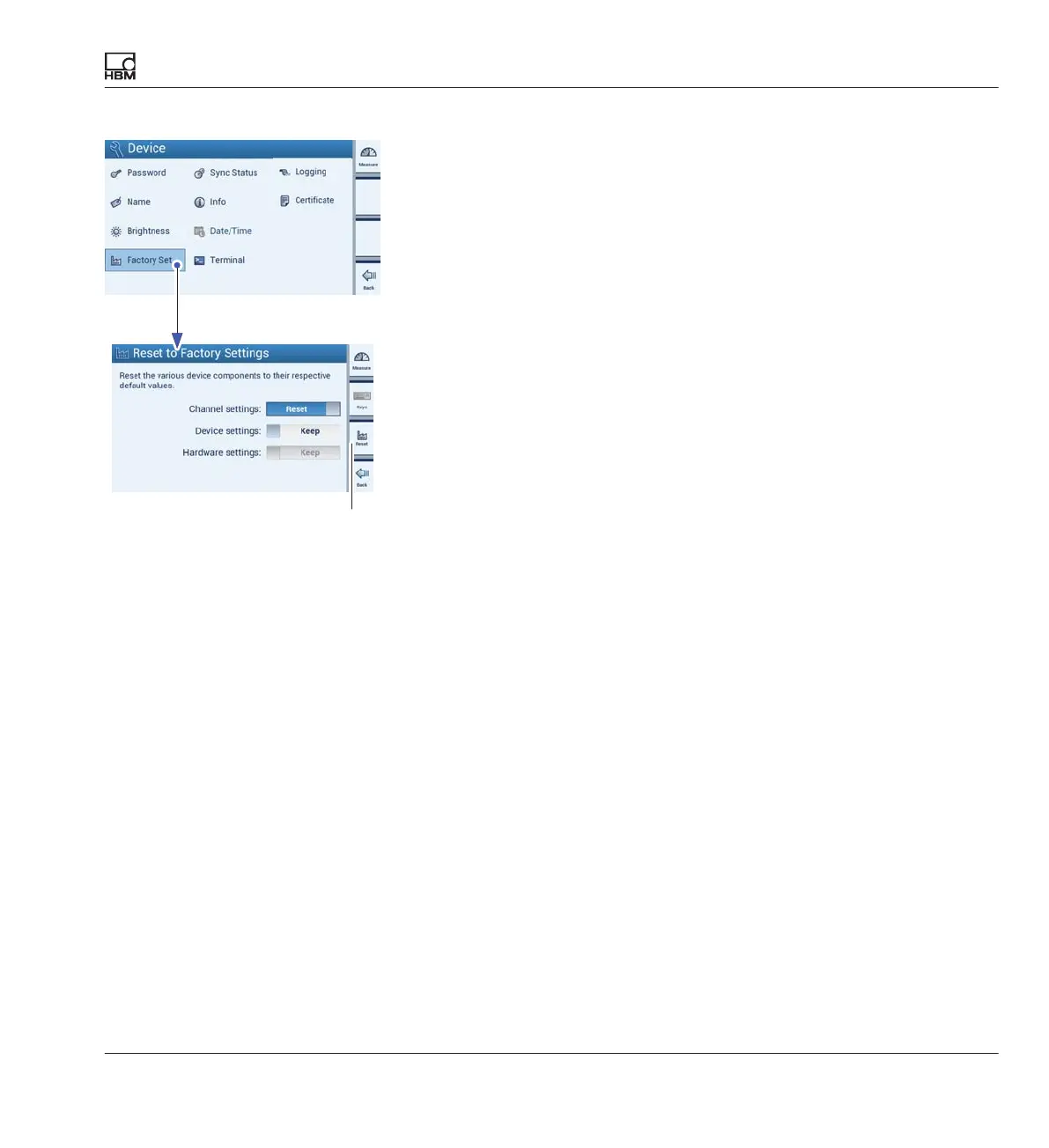
7.3.4 Factory settings (Factory Set)
Overview of the DMP41 factory settings and explanation of their
selective resetting
The channel, device and interface settings can be returned to their
respective factory settings.
Below is a detailed list of the settings that can be reset:
S Channel settings:
- Measuring range
- Filter
- Scaling
- Channel name
- Decimal places and step
- Zeroing
S Device settings:
- Password
- Device name
- Brightness
- Logging
S Interface settings:
- Ethernet
- RS232
Factory settings can be applied (Keep) or changed (Reset) at a channel,
device or interface level.
► Press more....
► Press Factory Set.
► Choose Keep or Reset for each of the three setting ranges
► Press Reset (F3) to run.
Confirmation of reset



 To Next Page