43
Input Level: This setting determines the incoming level of the USB audio signal coming from
your computer.
Mode: This setting determines what audio signal how the HeadRush Looperboard sends its
audio signal over the USB connection and how its outputs function while doing so:
• Live: The audio signal will be sent to your computer as well as to the HeadRush
Looperboard’s outputs.
• DAW: The audio signal will be sent to your computer only. The HeadRush Looperboard’s
outputs will be disabled to prevent any latency while monitoring.
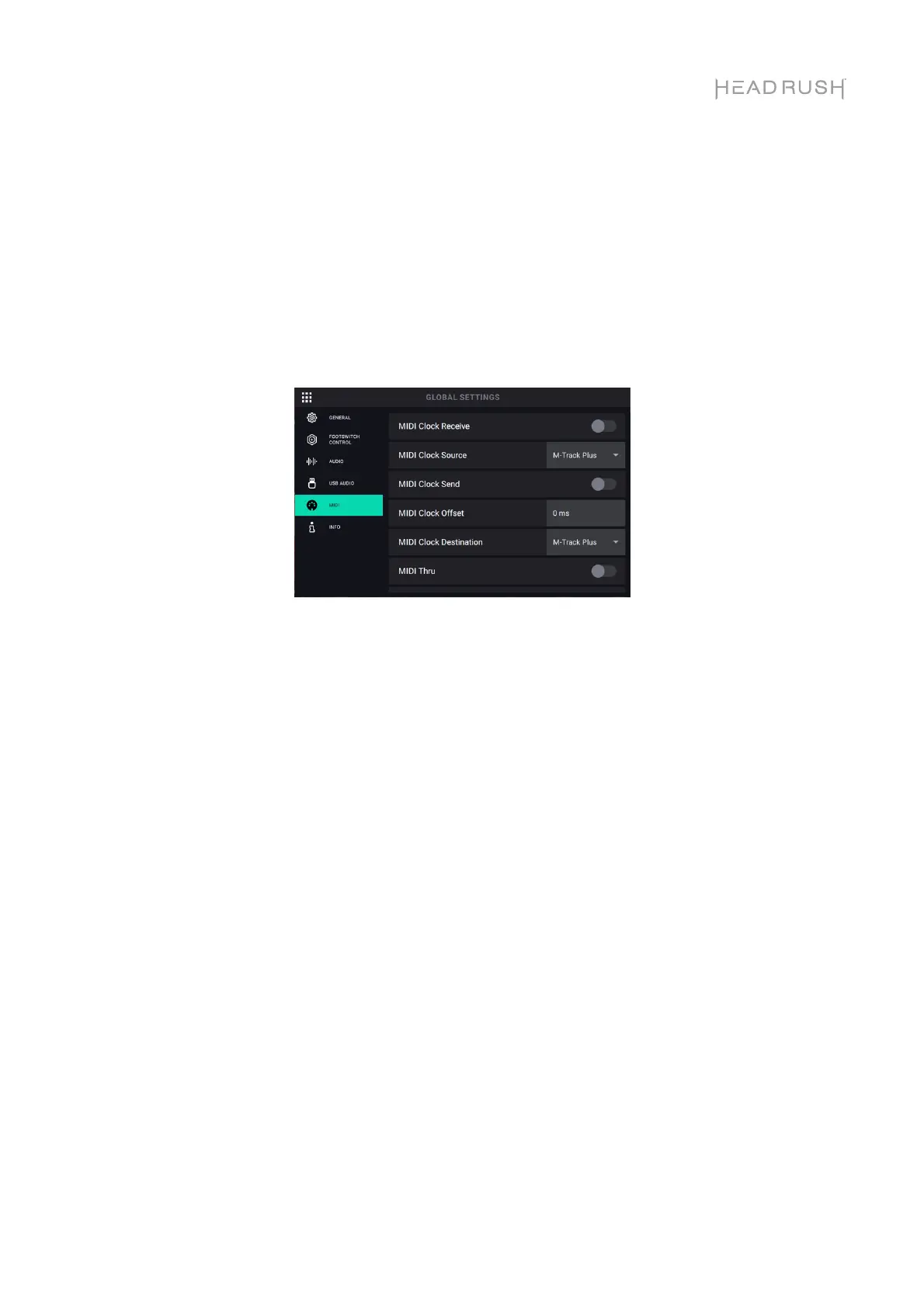
MIDI Settings Tab:
MIDI Clock Receive: This setting determines whether HeadRush Looperboard will sync to an
external MIDI clock source. Set to On to sync tempo to an external source, or set Off to disable.
MIDI Clock Source: This setting determines how HeadRush Looperboard will receive MIDI
clock messages. Tap the field and then use the encoder to select the desired source. Select
Looperboard to receive MIDI clock messages from the 5-pin MIDI Input on the rear panel. If
you have a class-compliant MIDI device connected to the USB Type-A Ports, select the
device's name to set it as the MIDI clock source.
MIDI Clock Send: This setting determines whether HeadRush Looperboard will send MIDI clock
to an external MIDI clock destination. Set to On to send MIDI clock to an external device, or set
to Off to disable.
MIDI Clock Offset: This setting determines can be used to set an offset (-10ms to 10ms) for
sent MIDI clock to an external destination. This is sometimes needed to compensate for delays
that are introduced by some MIDI hardware. Tap this field and turn the encoder to choose a
setting.
MIDI Clock Destination: This setting determines how HeadRush Looperboard will send MIDI
clock messages. Tap the field and then use the encoder to select the desired destination.
Select Looperboard to send MIDI clock messages from the 5-pin MIDI Output on the rear
panel. If you have a class-compliant MIDI device connected to the USB Type-A Ports, select
the device's name to set it as the MIDI clock destination.
MIDI Thru: This setting determines the function of the MIDI Output. When set to On, MIDI sent
to the HeadRush Looperboard MIDI Input will be sent directly to the MIDI Output. When set to
Off, HeadRush Looperboard will only send its own MIDI information out of the MIDI output.



 To Next Page