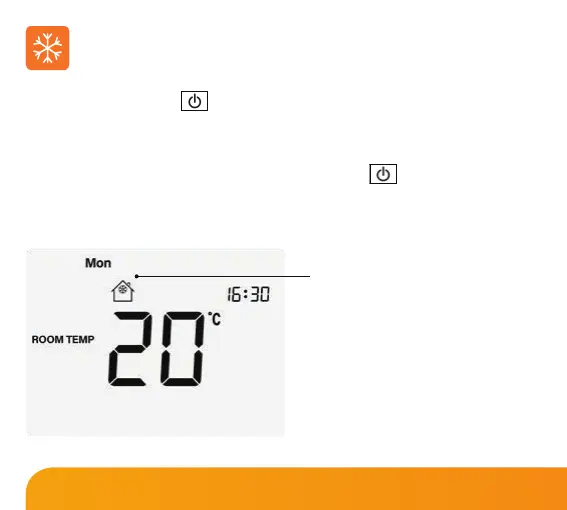
Pressing the Power button once will place the thermostat in frost protect mode. In
this mode, the thermostat will display the frost icon and will only turn the heating
on should the room temperature drop below the set frost temperature. Should the
heating be turned on whilst in frost mode, the ame icon will be displayed. To cancel
the frost protect mode, press the Power button once again.
Frost Protection Mode Enabled
Frost set temperature range is
from 7 to 17ºC (12ºC factory default)
Note: If the display is turned o, the
frost symbol will appear to represent heat
demand in place of the ame symbol.
Frost Protection
19
Slimline Series













 To Next Page