Setting the Clock
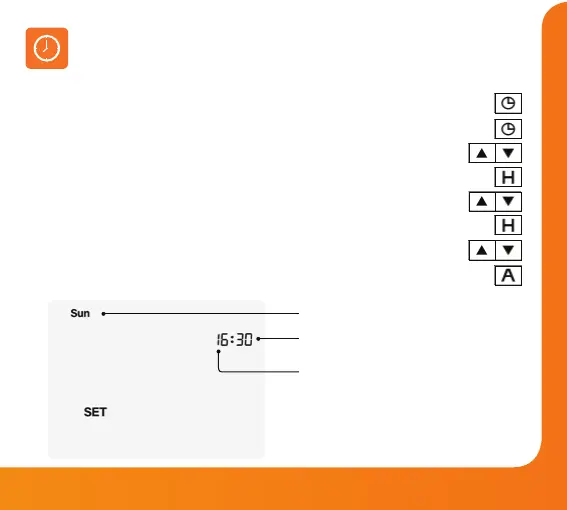
To set the clock, follow these steps.
• In Countdown mode, press the Clock button once .....................................................
• In either 5/2, 7-day, or 24h mode, press the Clock button twice ............................
• Use the Up/Down buttons to set the hours ...........................................................
• Press H to conrm settings ...................................................................................................
• Use the Up/Down buttons to set the minutes ......................................................
• Press H to conrm settings ...................................................................................................
• Use the Up/Down buttons to set the day of the week ......................................
• Press A to conrm settings and return to the main display ......................................
Day
Minutes
Hours
Model: Slimline-E V3
30













 To Next Page