Holiday
The holiday function allows you to quickly enter a holiday setting.
During a holiday, the time clock will maintain TIMER OFF.
At the end of your holiday, the time clock will revert back to the programmed setting.
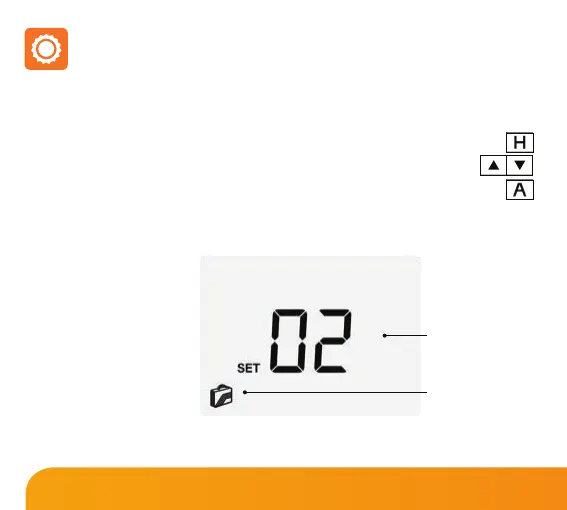
The display will show a suitcase indicating the time clock is in holiday mode.
To cancel, follow the same steps but reduce the holiday duration to 00 days.
Note: A holiday period
does not start until 00:00
the next day. For example,
if you set a holiday period
on Friday for 2 days,
Saturday will be counted as
the rst day and the time
clock will revert back to the
programmed schedule at
00:00 on Monday.
• Press H once (you will see the suitcase displayed on screen) .......................................
• Use the Up/Down buttons to enter the number of days holiday ......................
• Press A to conrm settings ........................................................................................................
Holiday Days
ON Indicator
35
Slimline Series













 To Next Page