17
80-23024 Issue 3r1 HEBER
5 BEFORE FITTING INTO THE 3D PRINTED
ENCLOSURE.
Various user options are selectable on the Multisystem motherboard. Before fitting into the 3D
printed enclosure (or a case of your own) it’s useful to check the links are in your desired positions.
5.1 RGB SCART and VGA -
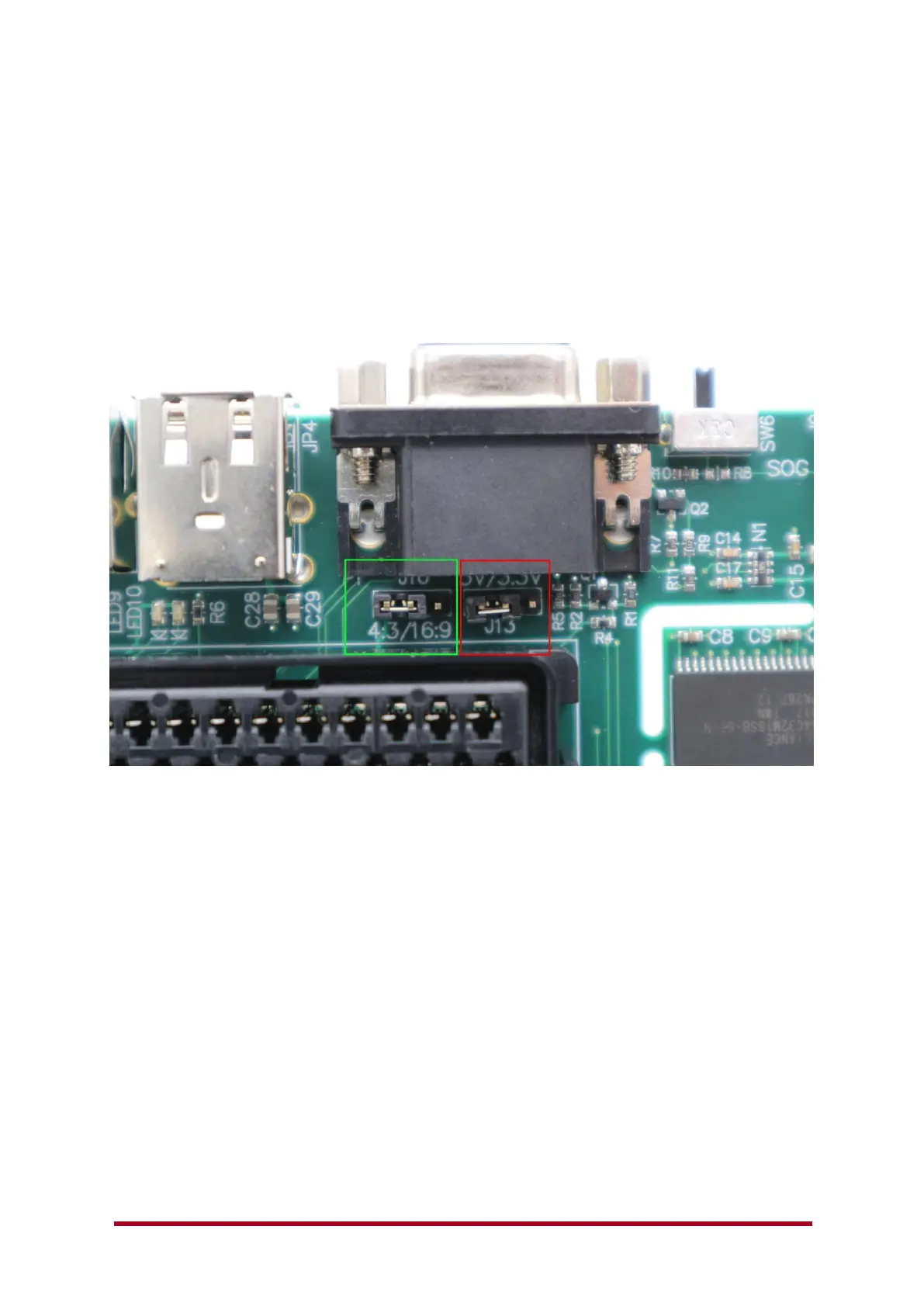
If you are planning to use the RGB Scart output function, you can select a desired output format for
the screen. This sends a signal to the SCART TV input to automatically change from 4:3 or 16:9
format. By default, the option link is fitted to 4:3 output.
Some TV’s may not see this signal as the specification calls for a nominal 9.5v signal and we supply
a current limited 9.0v output. If you find any SCART equipment that does not automatically switch
4:3 or 16:9 it would be good to know the make and model.
VGA also has a voltage select output – this is J13 shown above and is normally set to +5V. You can
select 3.3v or remove the link to disable any output voltage on the VGA port.
The VGA output on MiSTer is not really an official ‘VGA port’ to the specification. It can output a
VGA compatible signal or a number of other standards that are selectable in the MiSTer.INI file.
You should use either the VGA output port or the RGB SCART connection to your desired analogue
video monitor.
Please also see sections below for further information about SCART to analogue CRT monitors or
other SCART equipment.



 To Next Page