6
80-23024 Issue 3r1 HEBER
2.2 HDMI Isolation -
By default, the HDMI Isolation switches are all ON (nothing disabled).
The DE10-nano board does not handle some of the HDMI specification fully. If you are using an HDMI
switch box or have other HDMI equipment connected to an intelligent switch, various undesired
operations may happen with using the MiSTer HDMI output, another device may switch on or off, or
not automatically be recognised as being on. If you discover any undesired operation, you can
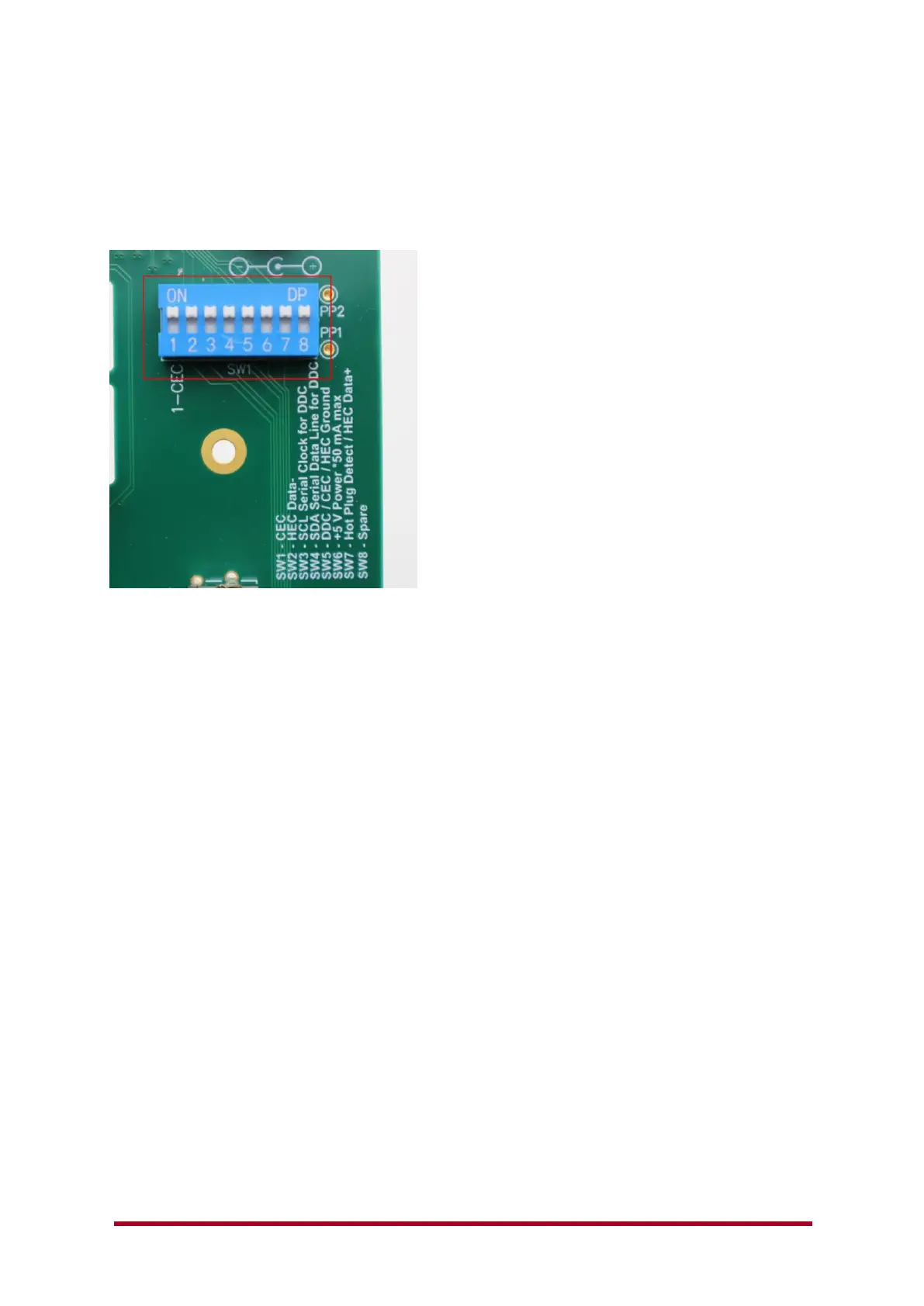
isolate various connections from the HDMI output using the SW1 switch shown above.
If you wish to isolate SW1 (CEC) or SW7 (Hot plug detect) or any of the other connections shown,
just change SW1-SW7 to the OFF position (opposite to the image above).
Please note that on some display devices, the image may drop out or disappear from the HDMI or
Audio may not be heard when isolating various signals (SW3, SW4 & SW7 for example).



 To Next Page