55
80-23024 Issue 3r1 HEBER
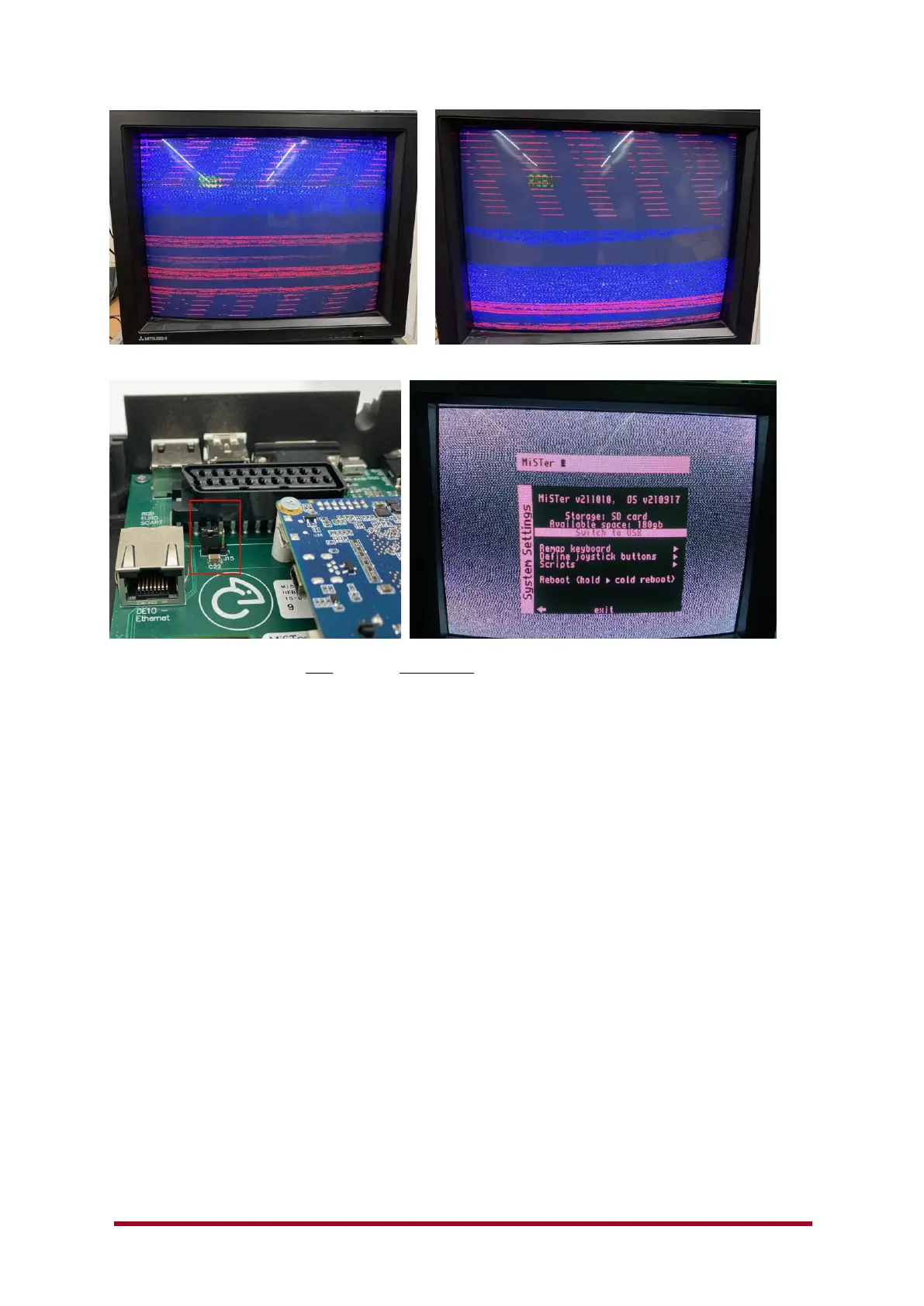
Above is an example PVM display showing a lack of correct display / Sync.
Turn the Multisystem board OFF and also power OFF the CRT TV / Monitor,
Then change the Jumper position as shown above (pins 2+3).
Now power on your Multisystem and then the CRT/Monitor.
It’s really important you don’t expect the CRT/TV/PVM/BVM monitor to correct a sync issue ‘live’
by toggling either the SOG switch or the Jumper J15, some may pick up the change but others will
continue to show a lack of sync until power has been cycled on the display.
You should always make changes to cables, option links and SOG switch settings with the
Multisystem turned off and also the display unit turned off.
If the above does not work, then get in contact with us with the make and model of the display and
also details of whatever cable you are using, to connect up the Multisystem to the display via SCART
or ‘VGA’. We will do our best to help you.
Also please remember to check the MiSTer.INI settings when using the Analogue ‘VGA’ or SCART
output. Sending out a higher resolution image into a display (CRT/TV) that’s designed to accept a
low resolution 15Khz signal is unlikely to work.
9.1.3 Audio sound output is not working?
Check you have connected an audio cable to the 3.5mm Jack or Digital Optical output.
Check if you have any sound from the HDMI cable to a display with speakers – if not make sure the
Mister.INI file is not set to DVI mode –
dvi_mode=0 ; set to 1 for DVI mode. Audio won't be transmitted through HDMI in DVI mode.
Check that the MiSTer menu setting for audio is not set low/off or as MUTE – this catches a lot of
people out, so please check before asking about no audio output.



 To Next Page