18
2.3. Loading the cards
This section shows how to load the plastic cards.
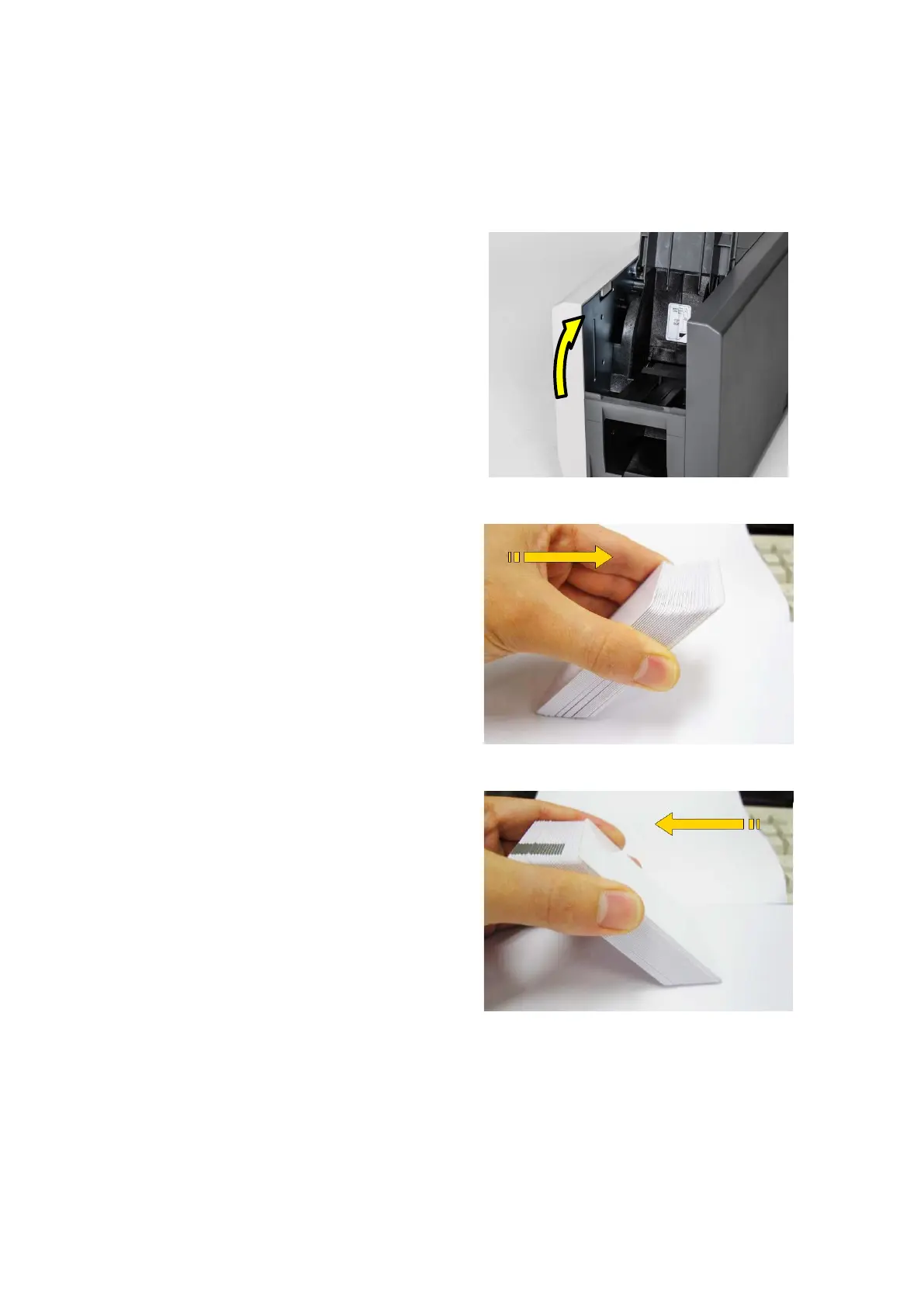
(1) Open the input hopper cover.
Adjust the card thickness with the
card thickness control lever.
(Caution! If the adjustment is not correct, it
will make some error. Use the type of
cards in the specification of this manual.
Always keep the card surface clean state.)
Figure 18 Adjusting the card thickness lever
(2) To separate cards from each
other, push a stack of cards back
and forth to an angle about 45
degrees vertically.
(Static charge makes cards stuck with
significant adhesive force. These cards
must be physically separated from each
other before inserted into the feeder. If not
separated, feeding or printing problems
may occur.)
Figure 19 Preparing the card 1
Figure 20 Preparing the card 2


 To Next Page