25
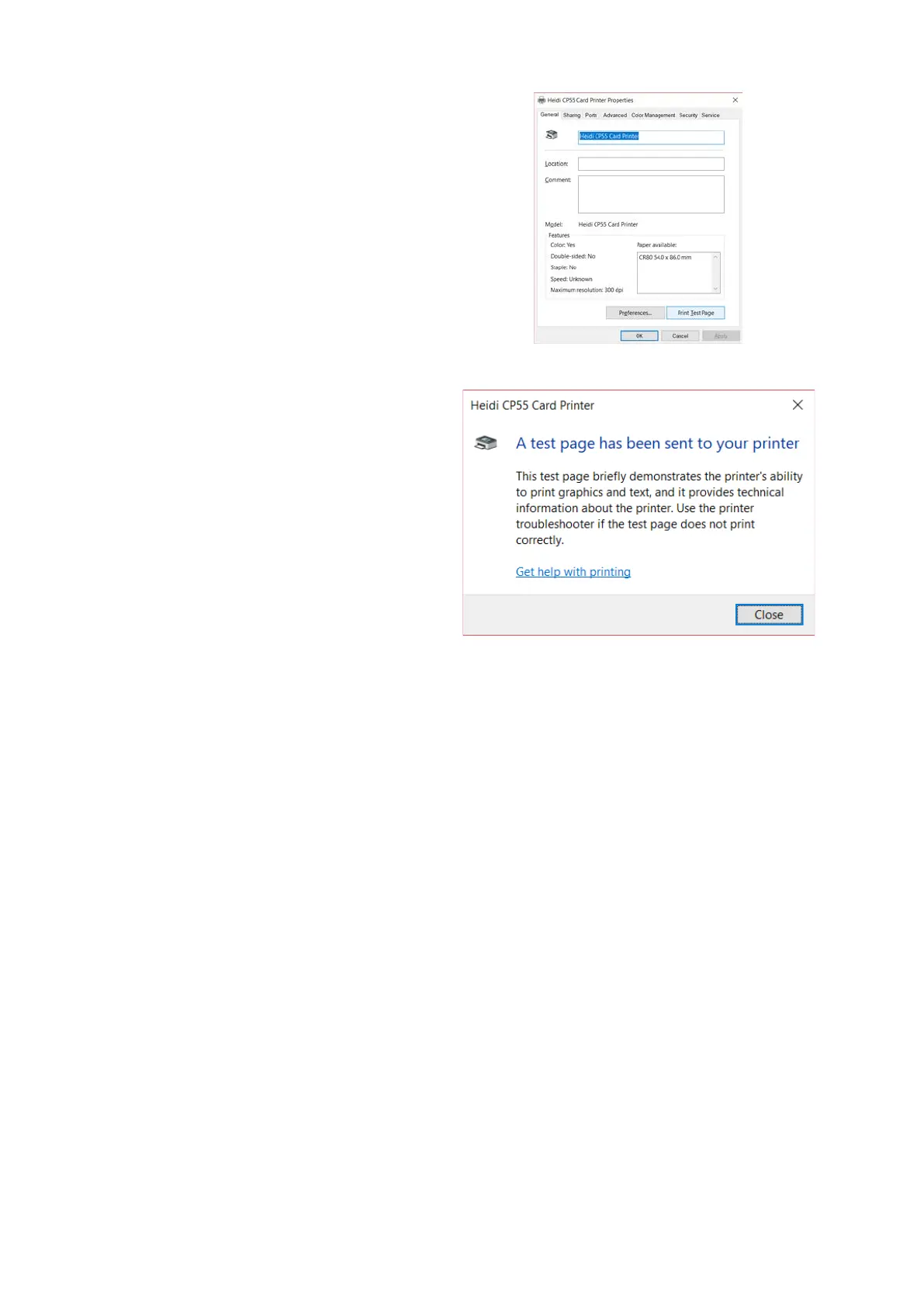
(11) Please select “general” tab and
click “Print test page” in “Heidi
CP55 Card Printer Properties”
window.
Figure 39 Install printer driver 11
(12) Please check test card if it is
printed properly and click “Close” if
a card is printed properly.
(If card is not printed or error comes out,
please refer to “Trouble Shooting”.)
Figure 40 Install printer driver 12


 To Next Page