37
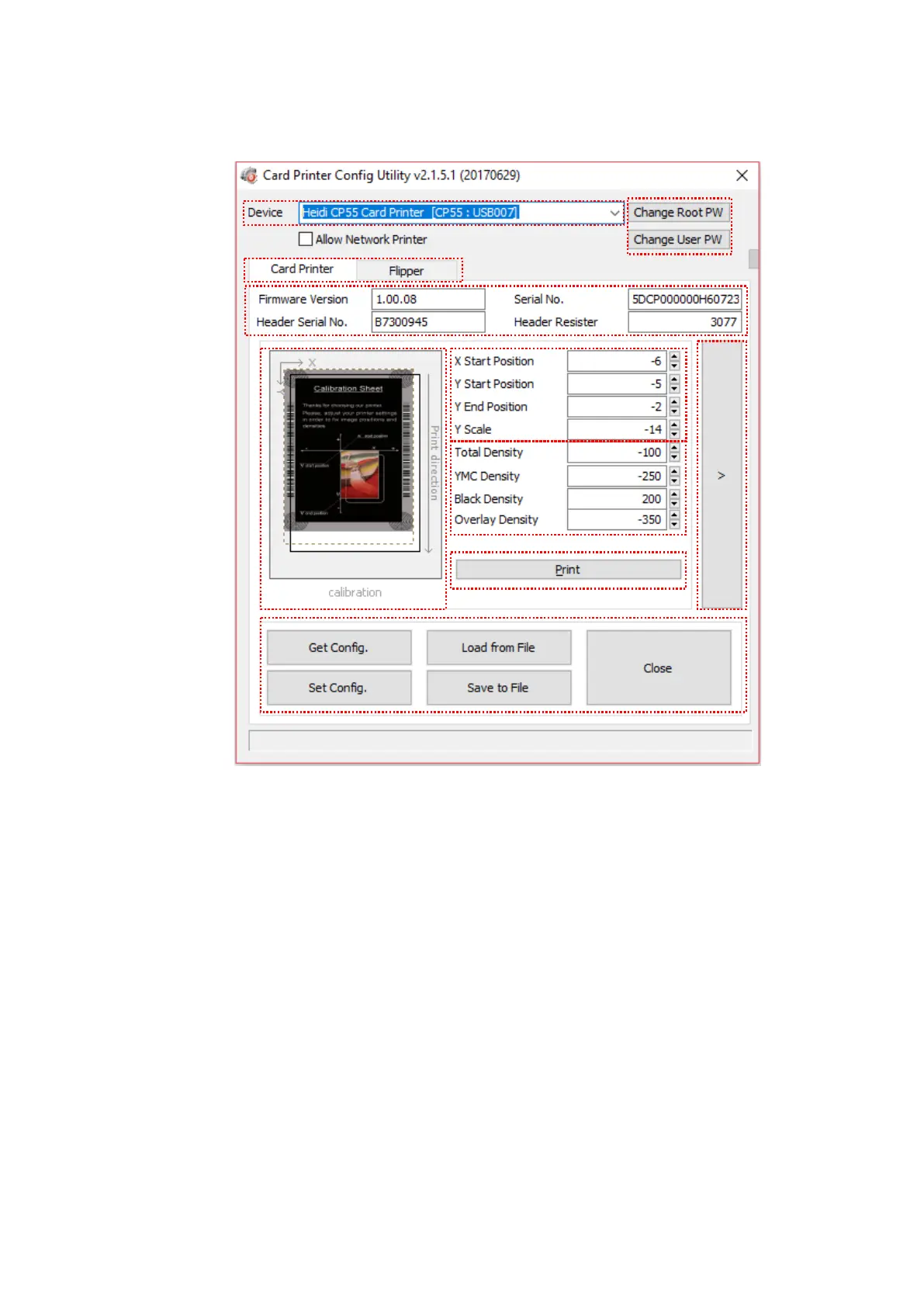
(2) Card Printer Basic Setup
Figure 55 CardPrinterConfig – Card Printer Basic Setup
① To show connected printers
Device: You can select a printer using pull-down menu. “HEIDI CP55 Card Printer”
is a name of printer. “CP55” is printer ID, “USB005” is connected port. If you
connect the Network printer, please check the “Allow Network Printer” and select
in the pull-down menu.
② To set administrator password and user password.
Change Root PW: To set administrator (root) password. This password is used to
verify user authority for CardPrinterConfig and User Authentication. Also it is
required for User password management. (Please set password for security use.)
Change User PW: To set user password for User Authentication.


 To Next Page