53
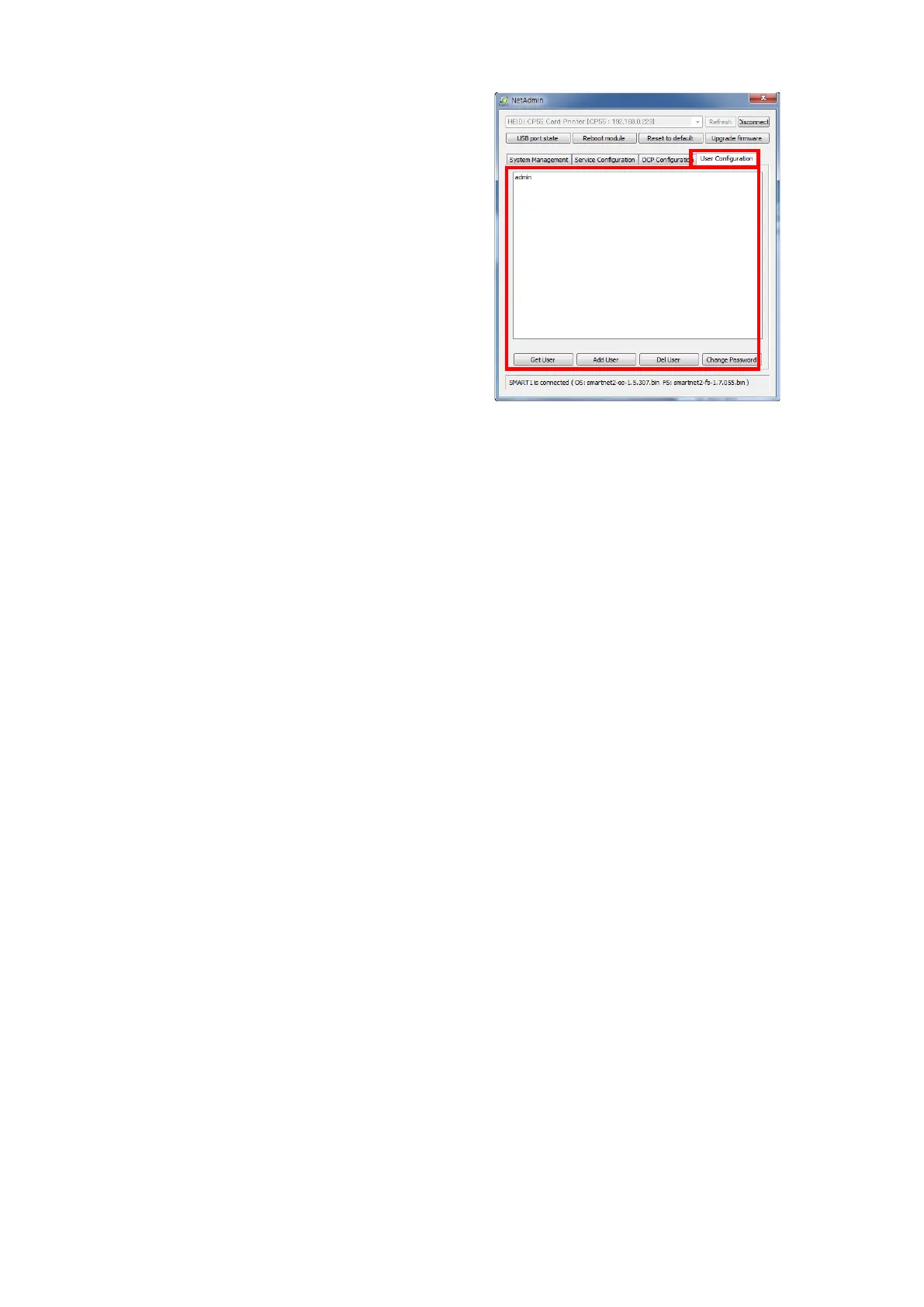
You can add, change, delete User
and change its password.
“admin” is administrator and you can’t
delete this account. Please don’t forget
password for “admin”
“Get User”: shows available users
“Add User”: makes new user
“Del User”: deletes selected user
“Change Password”: changes password
Figure 77 Network user configuration


 To Next Page