19
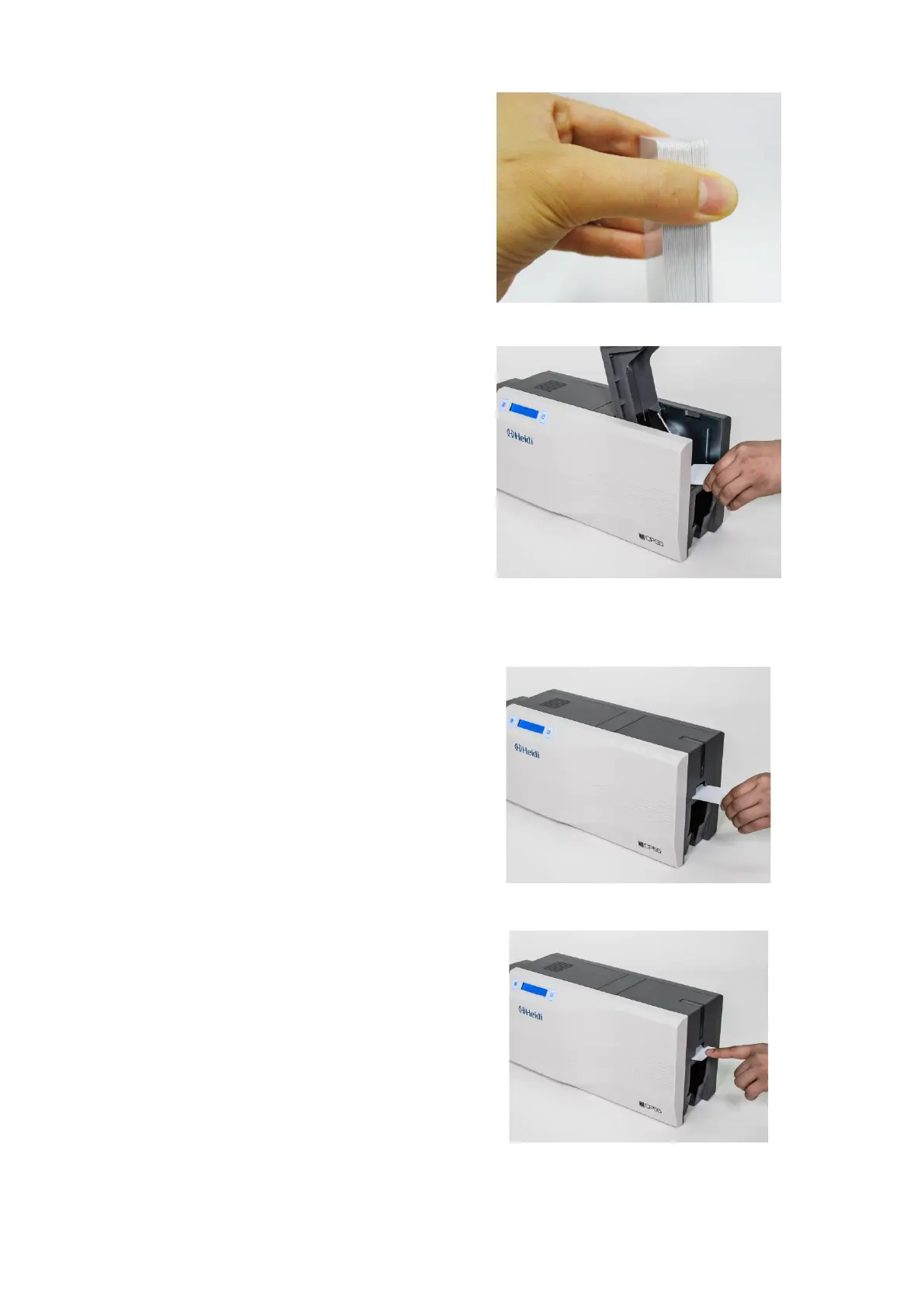
(3) Stand the stack of cards
vertically after separating
Figure 21 Loading the cards 1
(4) Load the cards on the input
hopper properly and close the
hopper cover.
Figure 22 Loading the cards 2
(5) When insert each one card,
insert the card to the end as left
picture
(Caution! If the printer has a lock device,
a card can’t be inserted one by one.
You can select the ‘lock device’ option
when you order the printer. It can lock
the top cover and hopper to prevent
extracting the ribbon and cards without
key.)
Figure 23 Loading the cards 3
Figure 24 Loading the cards 4


 To Next Page