26
3. Driver configuration
3.1. Printer Properties
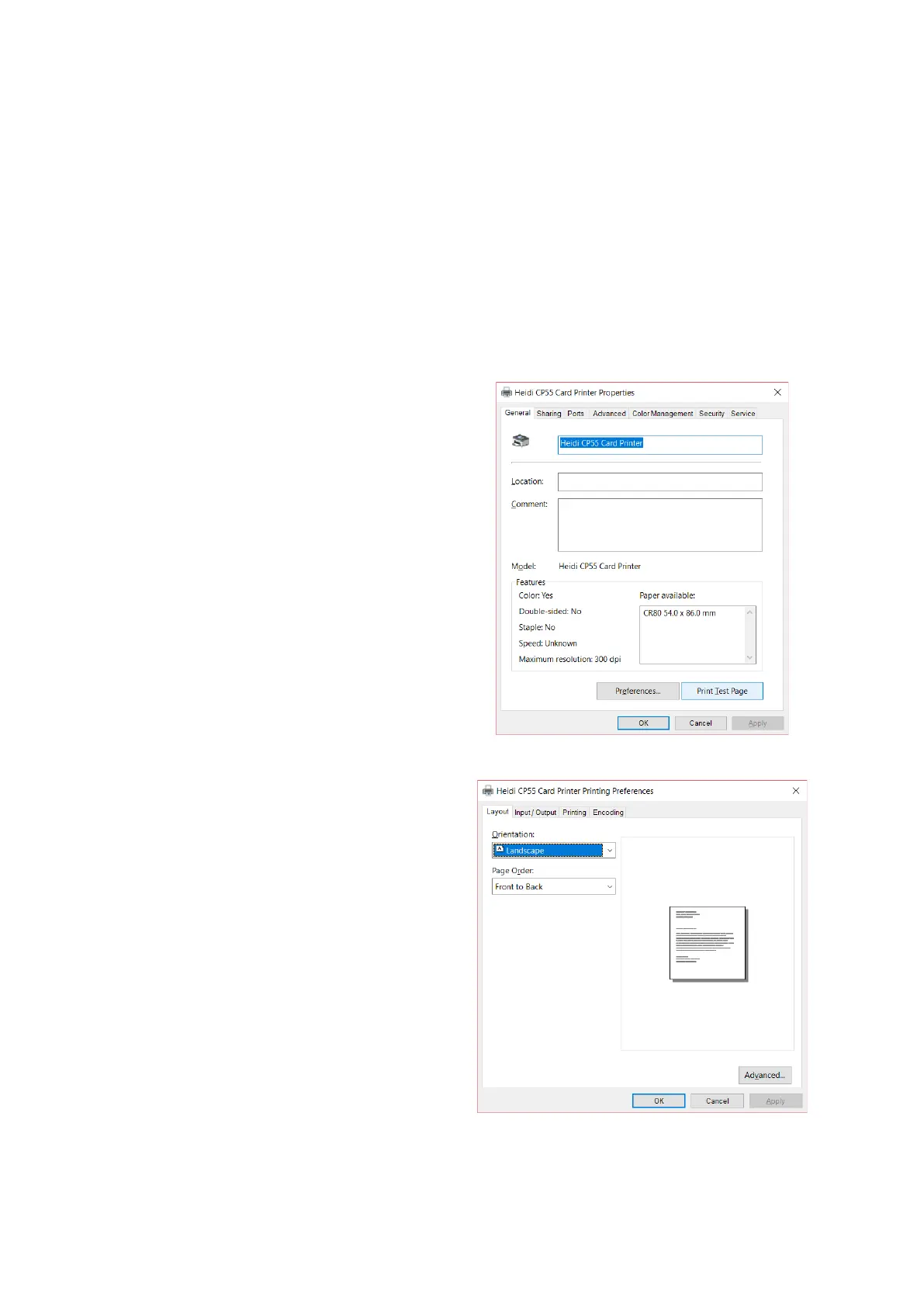
To check printer properties, you need to open printer driver. Please open
“Devices and Printers” and right-click “Heidi CP55 Card Printer”.
Click “Printer Properties”.
Please click “Preferences…” shown on the
bottom of the left picture.
Figure 41 Printer properties
- You can select either horizontal or
vertical printing direction. To apply your
selection, click “OK”.
Figure 42 Layout


 To Next Page