21
USER’S MANUAL /
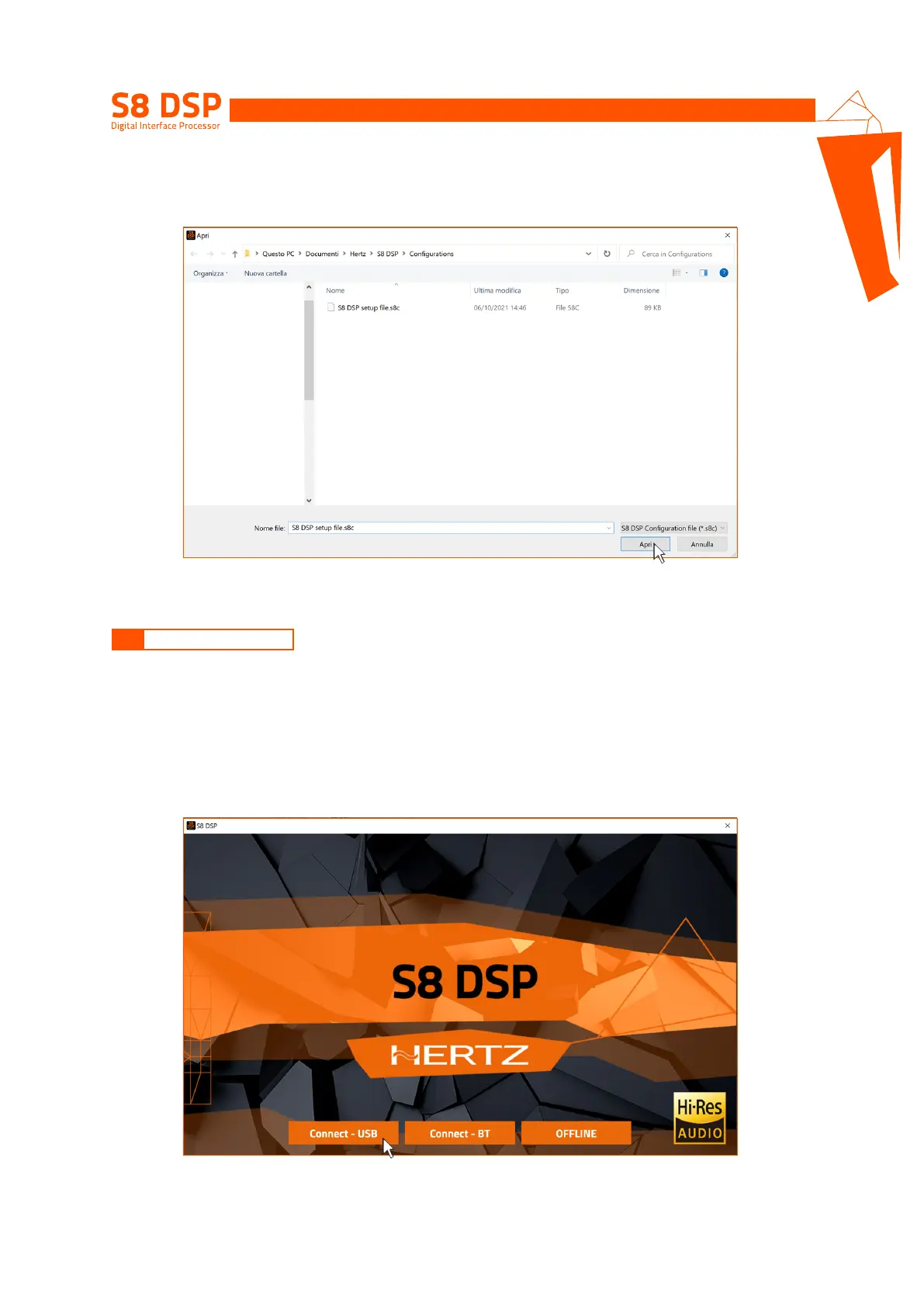
To use this function the S8 DSP processor must be turned on and connected to the PC/MAC. The connection
between PC/MAC and S8 DSP can be established via USB cable or Bluetooth.
7.2 CONNECT USB MODE
7.2.1 CONNECTION VIA USB CABLE
1. Start the device (green led status, BT blue led flashing)
2. Connect the USB cable between PC/MAC and S8DSP (light green led status, BT led off)
3. Wait for the PC/MAC to acknowledge and correctly configure the S8 DSP as USB serial device then press
Connect - USB.
7.1.2. OPEN A SAVED SETUP
This function loads the complete configuration of the S8 DSP from a previously saved file (.“S8 DSP setup file.s8c”).
7


 To Next Page