28
USER’S MANUAL /
7.5.2. SPEAKER SELECTION
Motorcycle / CAR option
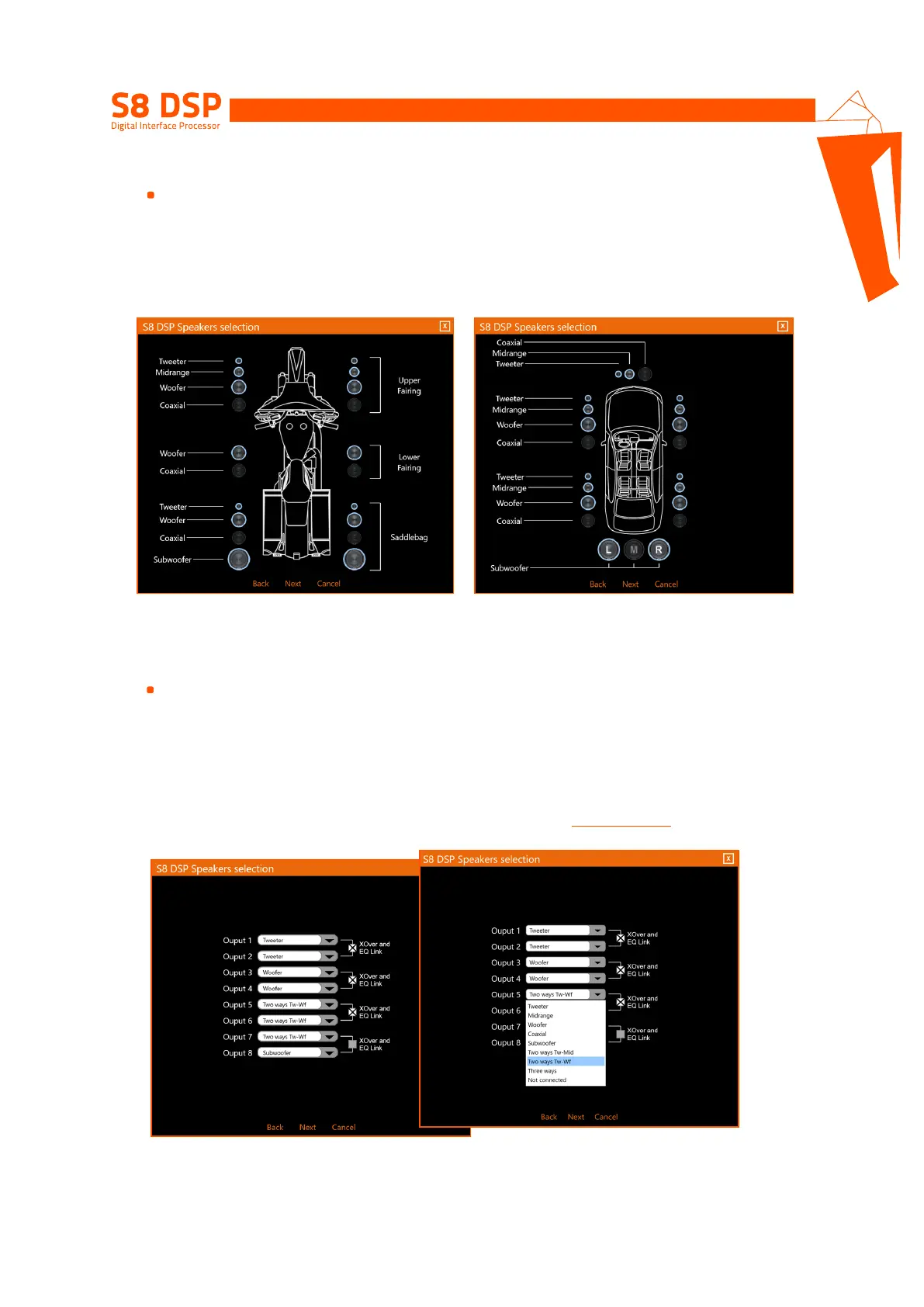
In Motorcycle or Car mode, through the appropriate screen, you can select the speakers in your system, to
be activated or deactivated by clicking on them. The software assumes that if you select the left tweeter,
midrange, woofer or coaxial, the right ones will also be activated automatically. This choice will affect the type
of dedicated crossover.
E.g.: if only the woofers have been activated for the rear system, only a low-pass or band-pass filter will be
available within the software.
How Speaker Selection looks like in Motorcycle mode How Speaker Selection looks like in Car mode
- press Next to continue with the configuration.
- press Back to go back to the previous window.
- press Cancel to cancel the operation.
Opzione Free placement
In Free Placement mode, you can directly choose the speaker or speaker system
(
E.g. 2-way tweeter / woofer or 3-way tweeter/midrange/woofer
)
, for each output
.
This selection will affect the type of dedicated crossover, (
E.g.: if output 1 is configured as a tweeter, only a
high-pass filter will be available within the software, if output 2 is configured as a woofer only a low-pass or
band-pass filter
).
If you select the same type of loudspeaker or loudspeaker system for one of the 4 pairs of outputs, the
software will automatically activate the “Xover and EQ Link” function
(see section 8.6.1 - 8.7.7)
.
This function can be deactivated by clicking on it.
How Speaker Selection in Free placement looks like
- press Next to continue with the configuration.
- press Back to go back to the previous window.
- press Cancel to cancel the operation.
7


 To Next Page