45
USER’S MANUAL /
7. Help
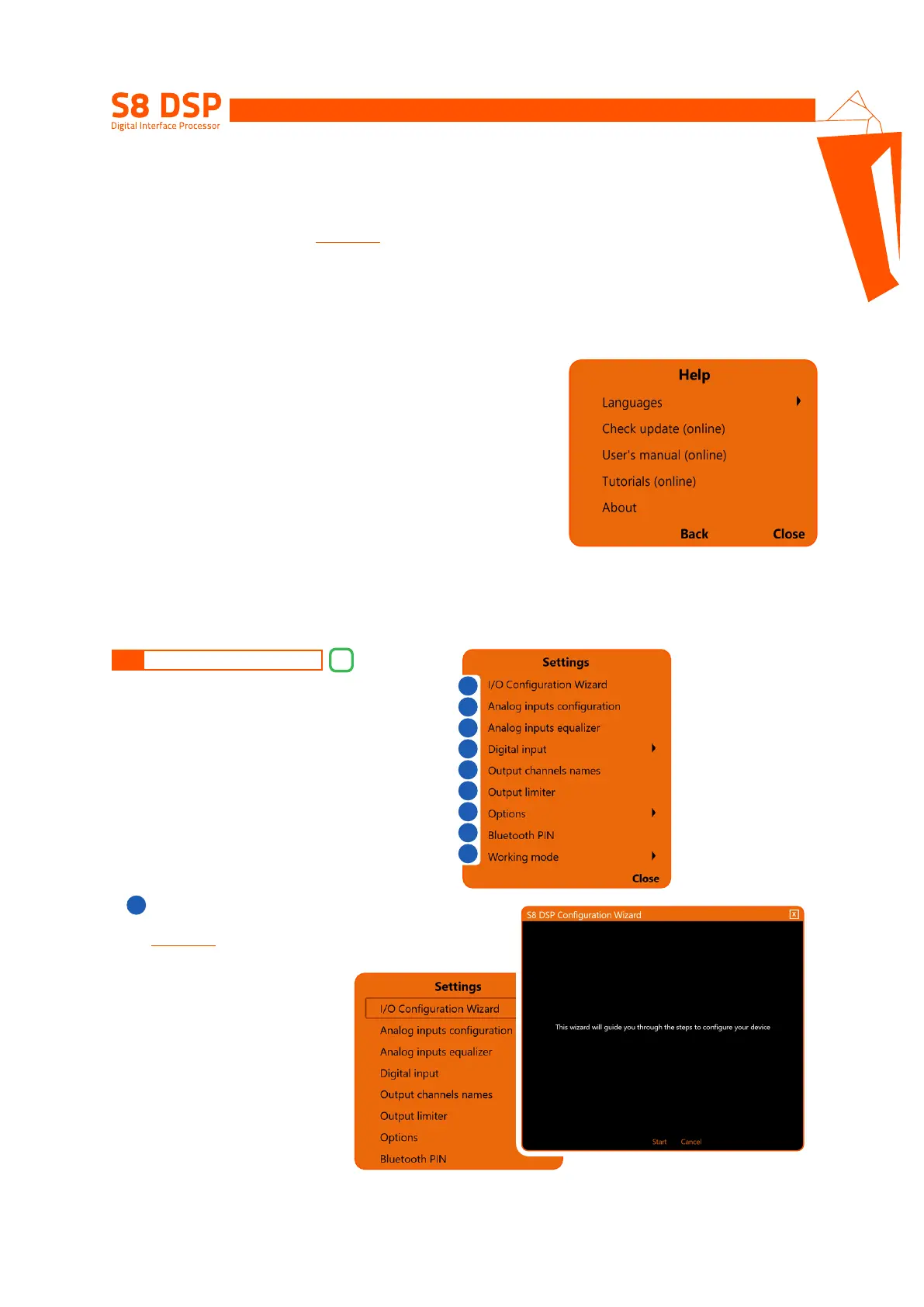
Languages: to change the language, select the desired item from the menu, among the available ones.
Check Update (online): this function checks the presence of S8 DSP software / firmware updates by connecting
to the “hertz-audio.com” site
(see section 9.2)
. In order to perform this operation, the PC must have an active
internet connection.
User’s manual (online): the internet browser on the PC will open and the search will automatically start in the
HERTZ download area
, to consult the product manual.
In order to perform this operation, the PC must have an active internet connection.
Tutorials (online): a link is activated on youtube, to consult audio / video information relating to the product.
In order to perform this operation, the PC must have an active internet connection.
About: shows information about the S8 DSP software in use.
8
Cliccando sul relativo pulsante si apre un menù a
tendina con le voci mostrate in figura:
8.2 MAIN MENU “SETTINGS”
I/O Configuration Wizard
It is possible to start the wizard for setting the S8 DSP
(see section 7.5)
.
- press Start to start the wizard.
- press Cancel to interrupt the operation and return to the main screen.
2
1
1
2
3
4
5
6
7
8
9


 To Next Page