42
USER’S MANUAL /
6. Bluetooth
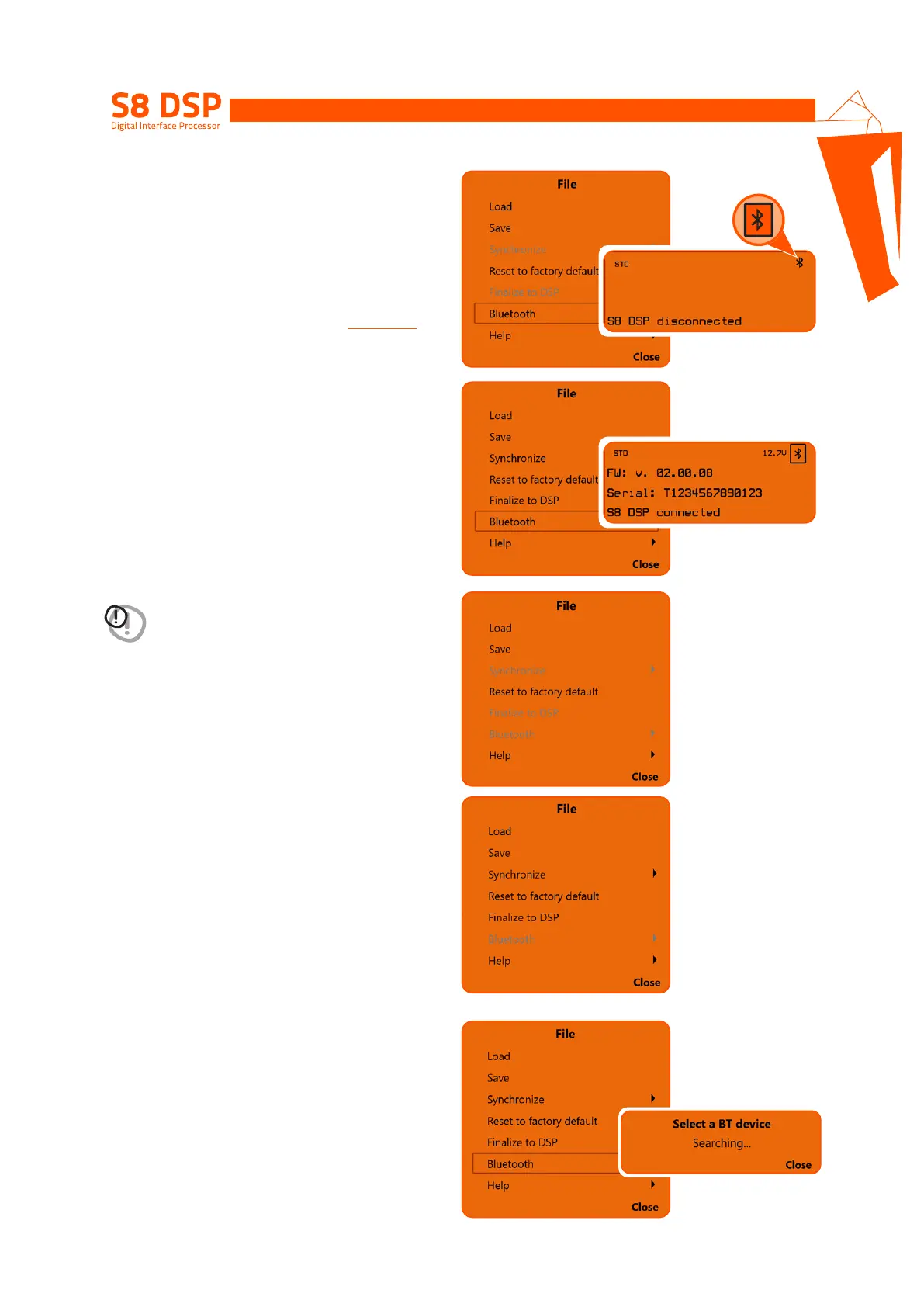
This function is used to connect, disconnect, or
remove the automatic connection of the S8 DPS
to the PC / MAC software.
This function is active if:
1. one or more S8 DSPs turned on nearby are
detected (
the BT symbol will appear at the top
right of the screen “Device Info”
)
(see section 8.11)
2. S8 DSP is already connected to the software
via Bluetooth connection.
6.1 S8 DSP connection to PC/MAC
via Bluetooth connection.
1. Press Bluetooth to start the search for the
S8 DSPs turned on nearby
WARNING: the Bluetooth function is disabled:
- if no S8 DSP is detected nearby.
- if the BT interface of the PC / MAC is not active.
- if S8 DSP is connected to PC / MAC via USB.
8


 To Next Page