ASSEMBLY INSTRUCTIONS
PH-300 VERTICAL LIFTING PLATFORM
IM-560en
Vers. 05
Page 21
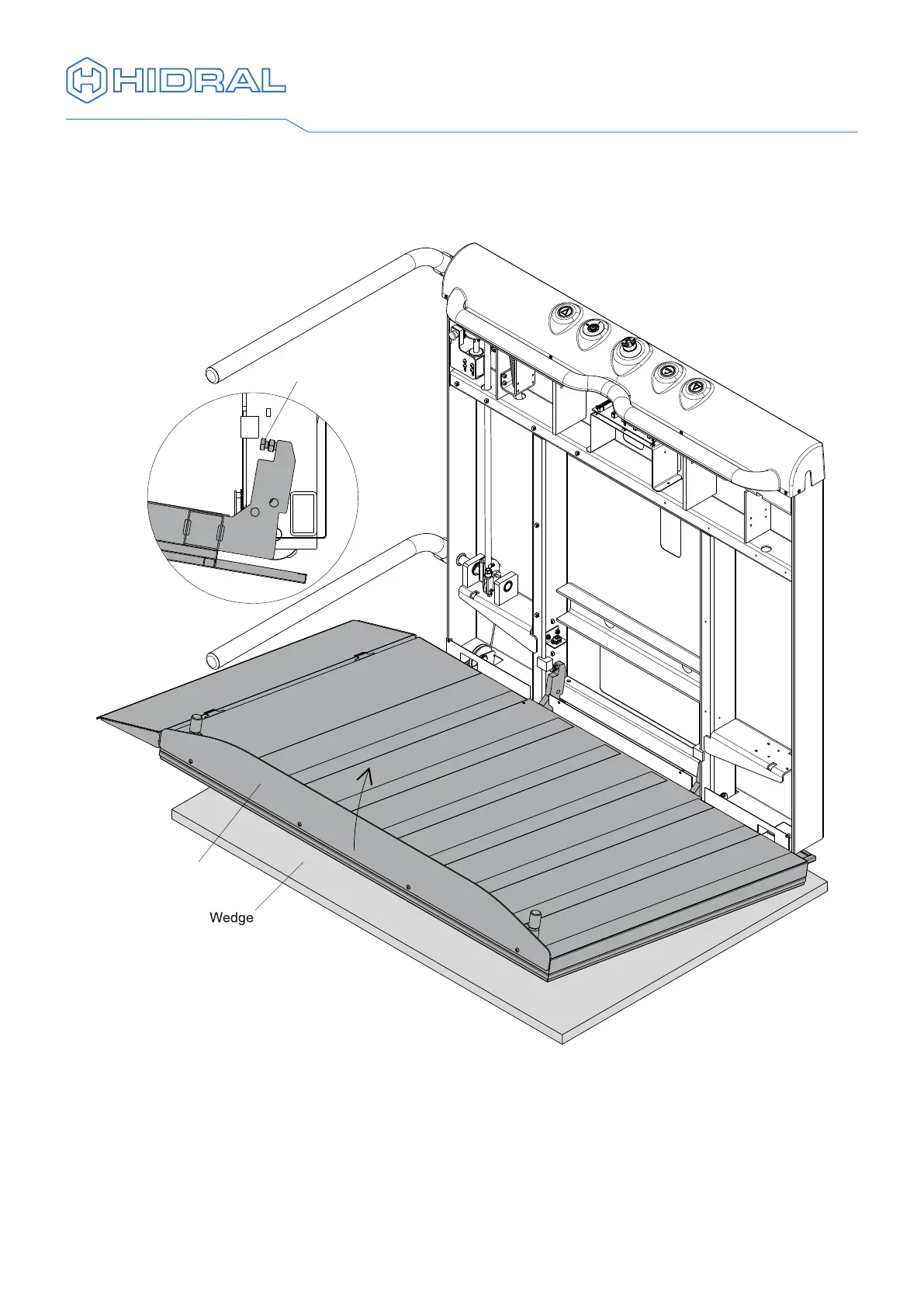
14 Bring the structure down pressing the descent push button in the push button
panel until the structure is near the oor. Just before the adjustment bolts come
into contact with the structure, lift the end of the oor slightly and continue to bring
down the structure until the xation holes are in line.
15 Fix the oor to the vertical structure with the bolts for the xation of the support
foots removed.



 To Next Page