EasyManua.ls Logo

HighPoint SSD7120 - Update HighPoint NVMe Device Driver

HighPoint SSD7120
28 pages
Print Icon
To Next Page IconTo Next Page
To Previous Page IconTo Previous Page
Loading...
13
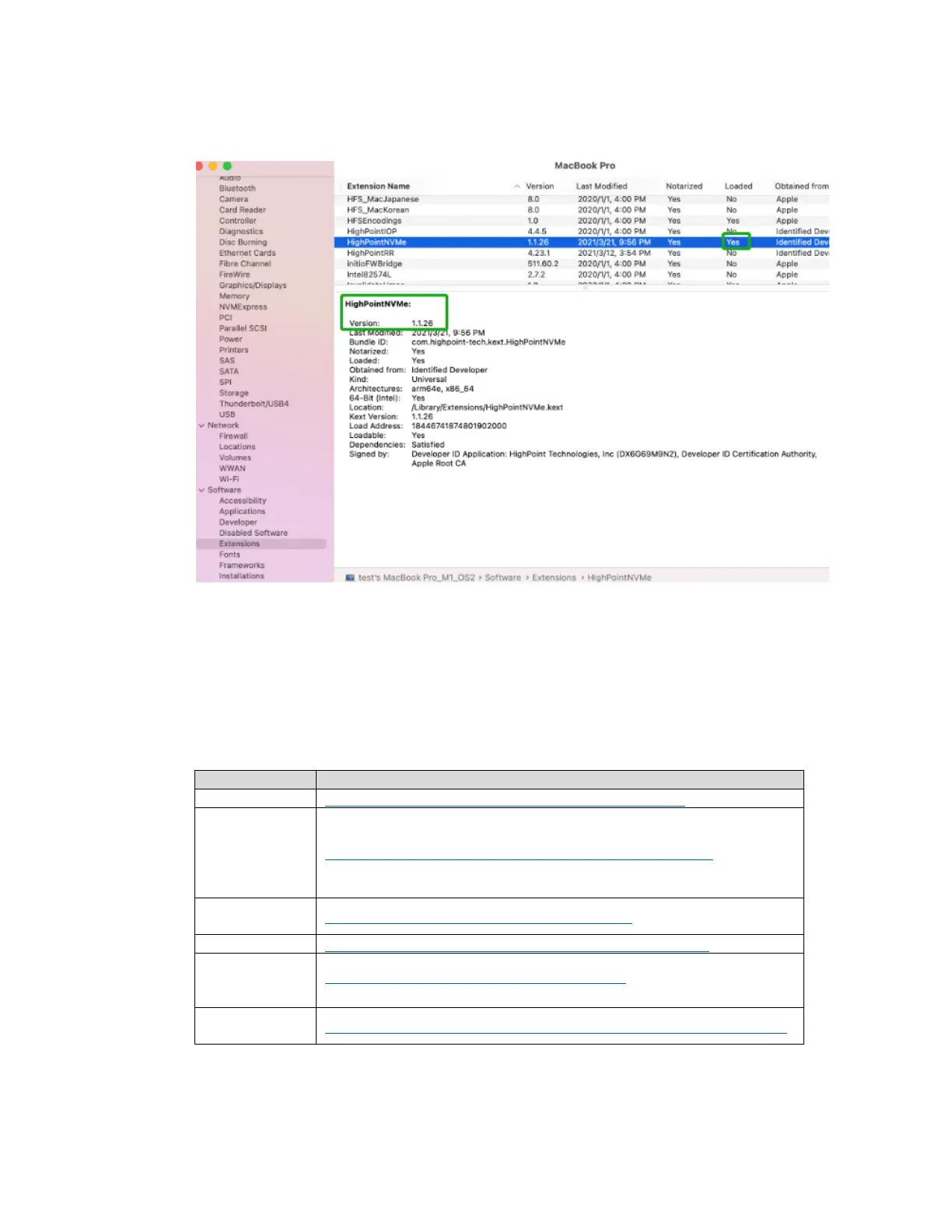
12) After the system restarts, the drivers status can be viewed under System Information
Extensions; The following screenshot shows the HighPointNVMe driver has been loaded:
Note: The driver revision shown in the screenshots may not correspond with current
software releases. Please make sure to download the latest driver updates from the
product’s Software Updates page.
5. Updating the Device Driver
Note
Update the driver, please make sure the RAID controller is connected to the host.
Current drivers can be downloaded from each product’s Software Downloads webpage.

Product
Download Page
SSD7105
https://www.highpoint-tech.com/gen3-nvme-m2-bootable
SSD7101A-1
SSD7204
SSD7104
SSD7104F
SSD7140A
https://www.highpoint-tech.com/gen3-nvme-m2-non-bootable
SSD6540M
SSD6540
https://www.highpoint-tech.com/ssd6540-catalog
SSD7120
https://www.highpoint-tech.com/gen3-nvme-u2-non-bootable
SSD7540
SSD7505
SSD7502
https://www.highpoint-tech.com/gen4-nvme-m2
RS6661A-
NVMe
https://highpoint-tech.com/USA_new/series-rs6661a-nvme-download.htm

Other manuals for HighPoint SSD7120

Related product manuals