6
2. Disabling SIP (for macOS 10.13x and earlier)
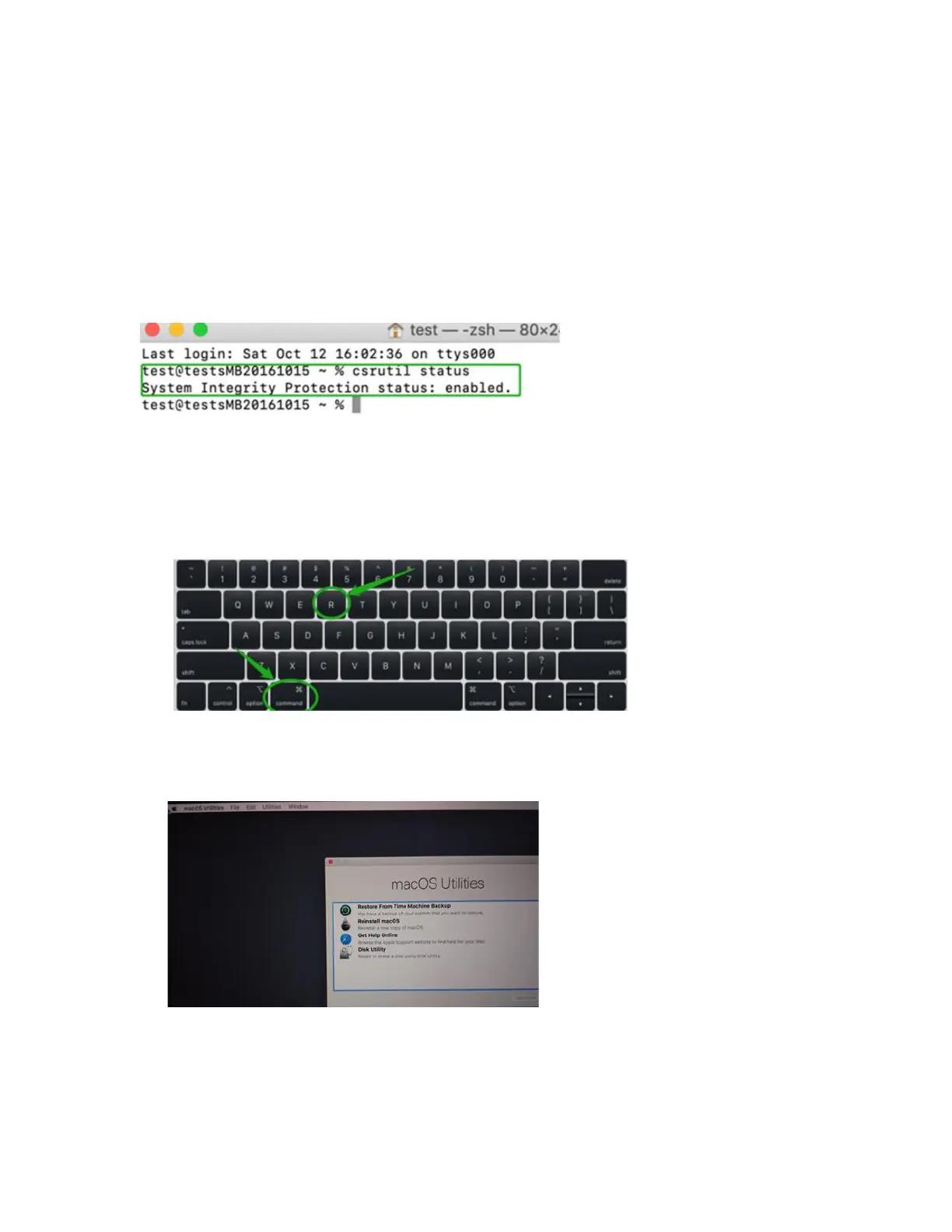
While macOS is running, open a terminal window to confirm whether System Integrity Protection
(SIP) status is disabled.
If enabled, you will need to manually disable the setting. Open a terminal, and then enter the
following command:
csrutil status
The example screenshot shown above indicates that SIP is enabled.
To disable SIP
1) Restart the computer and hold down the “Command + R” buttons. Continue to hold these
keys until macOS enters System Recovery mode.
Note: If you are unable to enter Recovery Mode to disable SIP:
Make sure you are using a wired keyboard and mouse for this procedure. Wireless devices
may not be recognized or function properly when booting into this mode.















 To Next Page