7
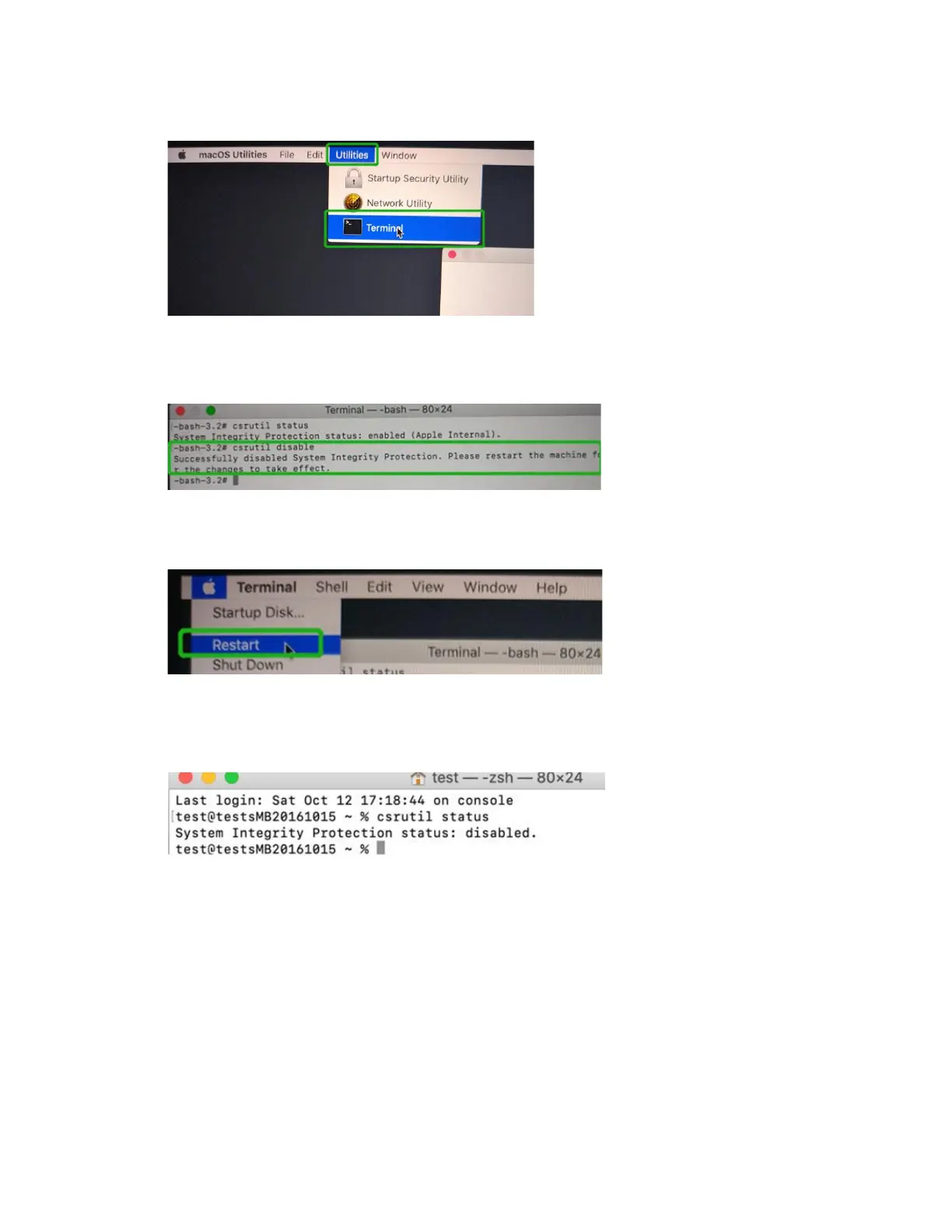
2) Click on Utilities in the upper left corner and select Terminal:
3) Set SIP to disabled in using Terminal. Enter the following command:
csrutil disable
4) Click the Apple logo in the upper left-hand corner of the desktop, and select Restart to
reboot the system.
5) After rebooting, confirm that SIP is disabled. Open terminal and type the following
command:
csrutil status
If the status is now reported as disabled, you can install the HighPoint NVMe driver.















 To Next Page