5
1. Disabling macOS Secure boot for T2 Systems
Customers working with Mac platforms manufactured in 2018 or later that feature a T2 security
chip, will need to disable the Secure Boot in order to load drivers for third party devices.
In addition, macOS 10.13x and earlier may require that SIP (System Integrity Protection) be
disabled. If enabled, older versions of macOS may prevent the NVMe drivers from loading.
HighPoint products affected by this requirement include our NVMe RAID product lines
(SSD7100 and SSD7500 Series RAID Controllers and SSD6540 series NVMe RAID
Enclosures).
For a list of products with the T2 Security Chipset, please visit the following website:
Mac computers that have the Apple T2 Security Chip
Disabling Secure Boot
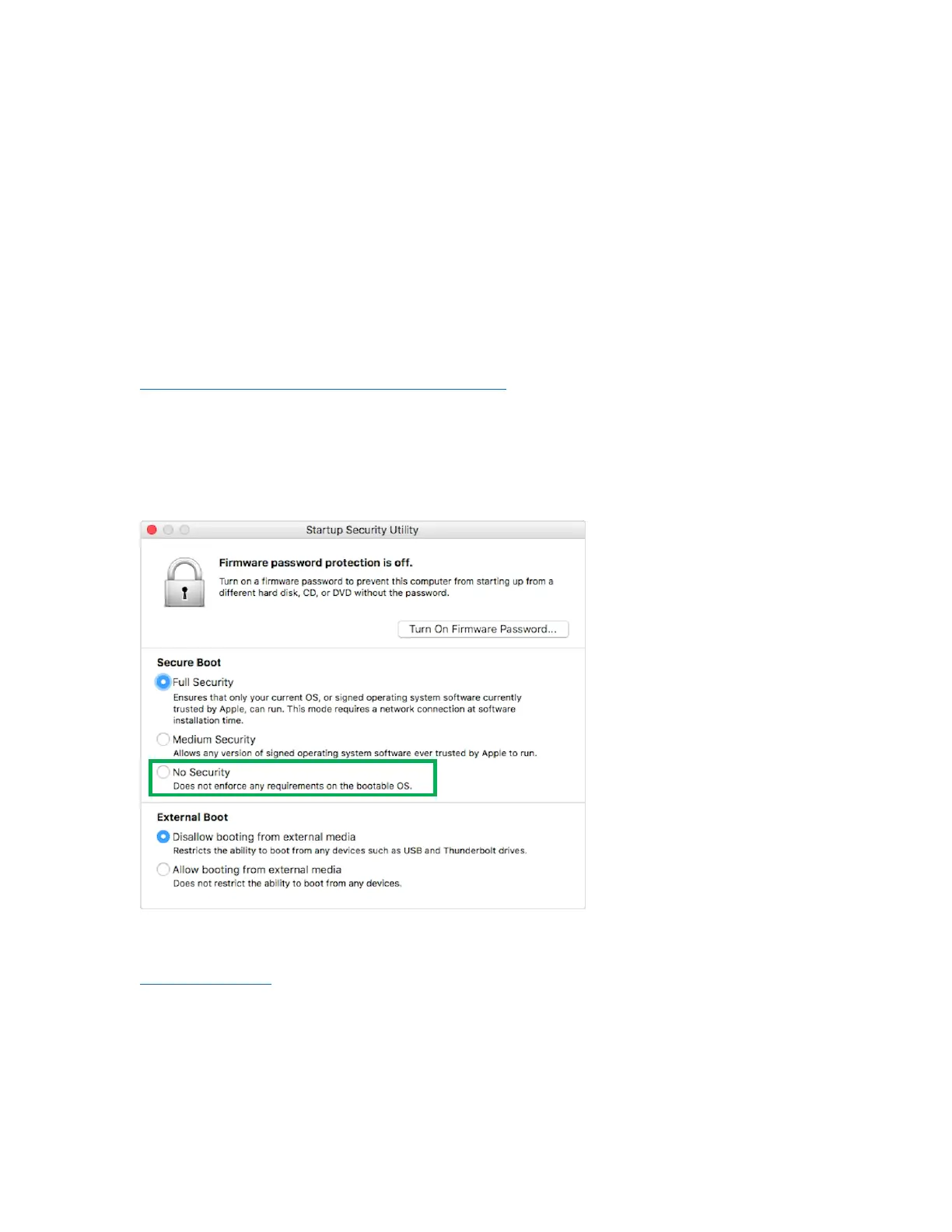
In order to use these products with T2 systems, Secure Boot must be disabled. To disable this feature
select "No Security" from the Startup Security Utility interface. You can access this menu by pressing
the Command (⌘)-R keys after the Apple logo first appears during the boot-up process.
Instructions are available from Apple’s website:
About Secure Boot















 To Next Page