9
4. Installing the Device Driver
Current drivers can be downloaded from each product’s Software Downloads webpage.
https://www.highpoint-tech.com/gen3-nvme-m2-bootable
SSD7101A-1
SSD7204
SSD7104
SSD7104F
SSD7140A
https://www.highpoint-tech.com/gen3-nvme-m2-non-bootable
https://www.highpoint-tech.com/ssd6540-catalog
https://www.highpoint-tech.com/gen3-nvme-u2-non-bootable
https://www.highpoint-tech.com/gen4-nvme-m2
https://highpoint-tech.com/USA_new/series-rs6661a-nvme-download.htm
macOS High Sierra 10.13 and Mojave10.14 and Catalina 10.15 and Big
Sur 11.x and Monterey 12.x Driver Installation Procedure
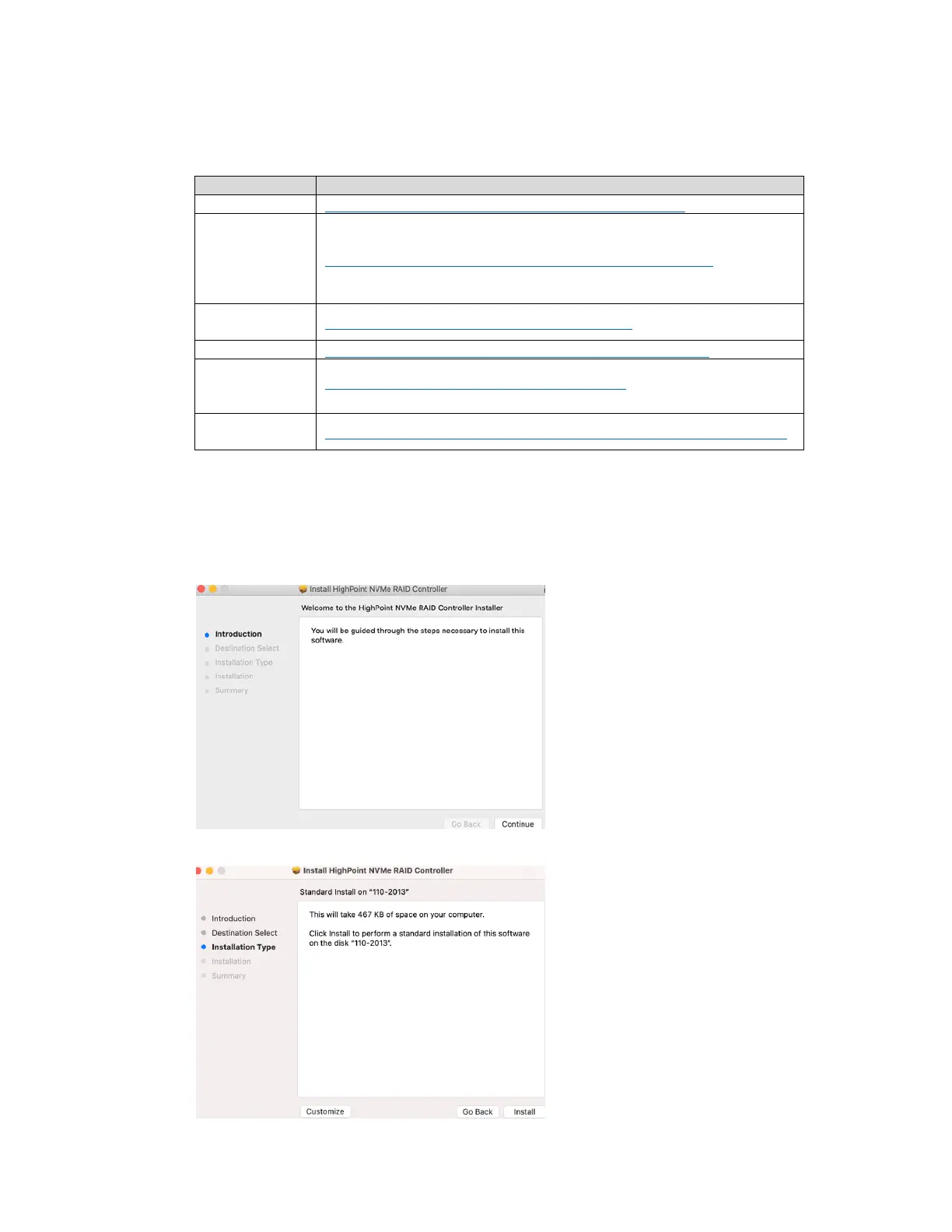
1) Locate the download and double click the HighPointNVMe.pkg package to start the installer.
Click the Continue button:
2) macOS will prompt you to install the driver. Click Install to proceed.















 To Next Page