26
Apple M1 Platform – Reduced security policy
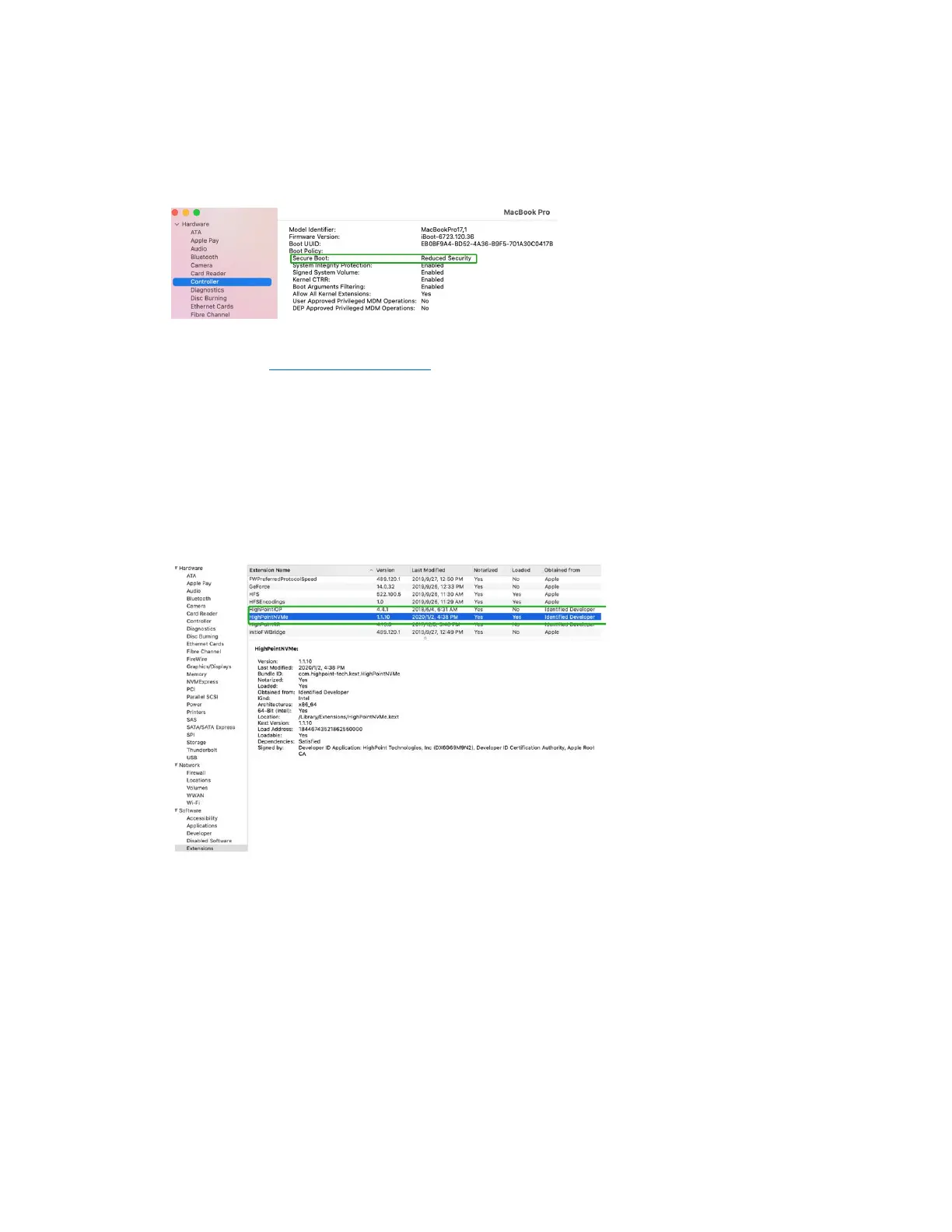
Check if Secure Boot is Reduced Security
System Information -> Hardware -> Controller -> Boot Policy
Secure Boot must be reduced Security in order to load drivers for third party devices, if change
please refer to: Reduced Security Policy
Checking the Driver status and Version
1) Click on the Apple logo located near the upper left-hand portion of the Desktop, and select “About
this Mac”.
2) Click on Extensions, and then click on HighPoint NVMe entry – please take a screenshot and attach it
this support case (see the example below):
System Information→Software→Extensions→HighPointNVMe
Note: The driver revision shown in the screenshots may not correspond with current software
releases. Please make sure to download the latest driver updates from the product’s Software Updates
page.















 To Next Page